Unused Lambda Functions
This tutorial demonstrates how to identify and delete unused Lambda functions with zero invocations in the past 30 days.
Overview
Unused Lambda functions create unnecessary clutter and potential security risks from outdated dependencies. While the cost savings are minimal (Lambda functions only incur storage costs after the first 512MB free tier), removing unused functions improves operational hygiene and reduces attack surface.
Prerequisites
- AWS Console access with Lambda permissions
- Target function:
remediation-lambda-unused-func
Step 1: Navigate to Lambda Functions Console
Navigate to the Lambda Functions console in the us-east-1 region.
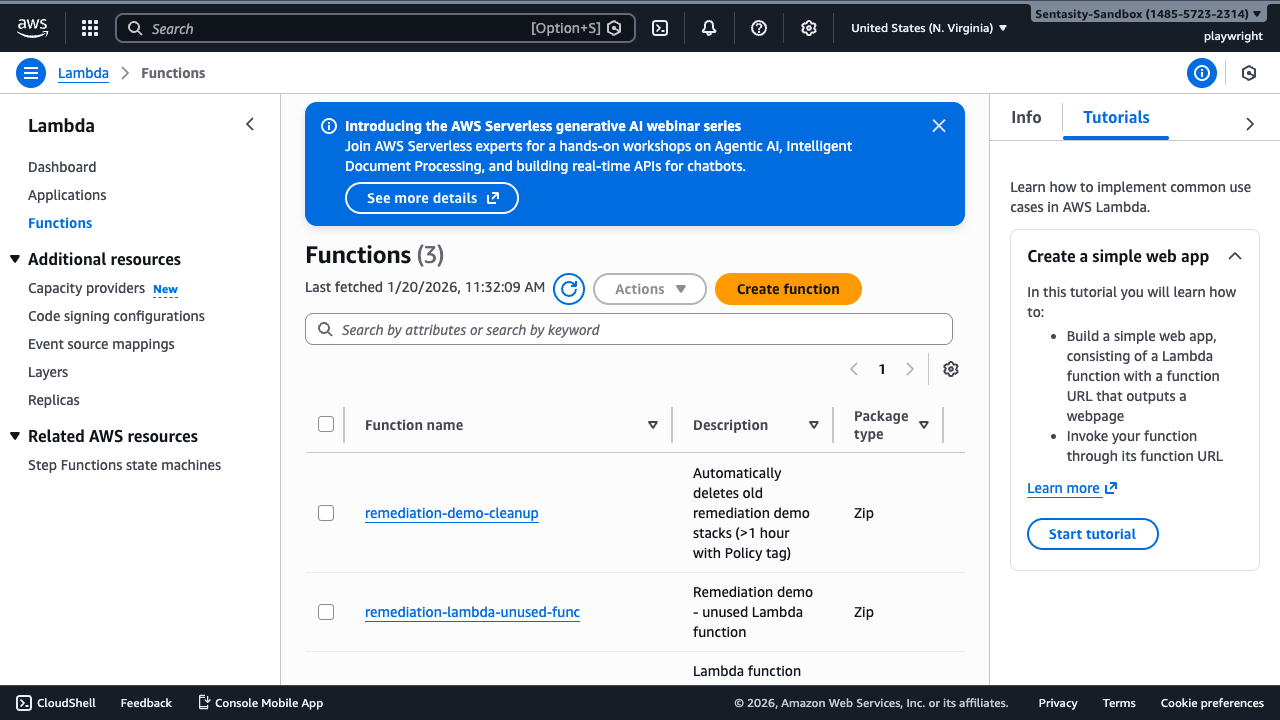
This view shows all Lambda functions in the region. You can see the function name, description, package type, runtime, and last modified date.
Step 2: Open Function Details
Click on the function name remediation-lambda-unused-func to view its details and configuration.
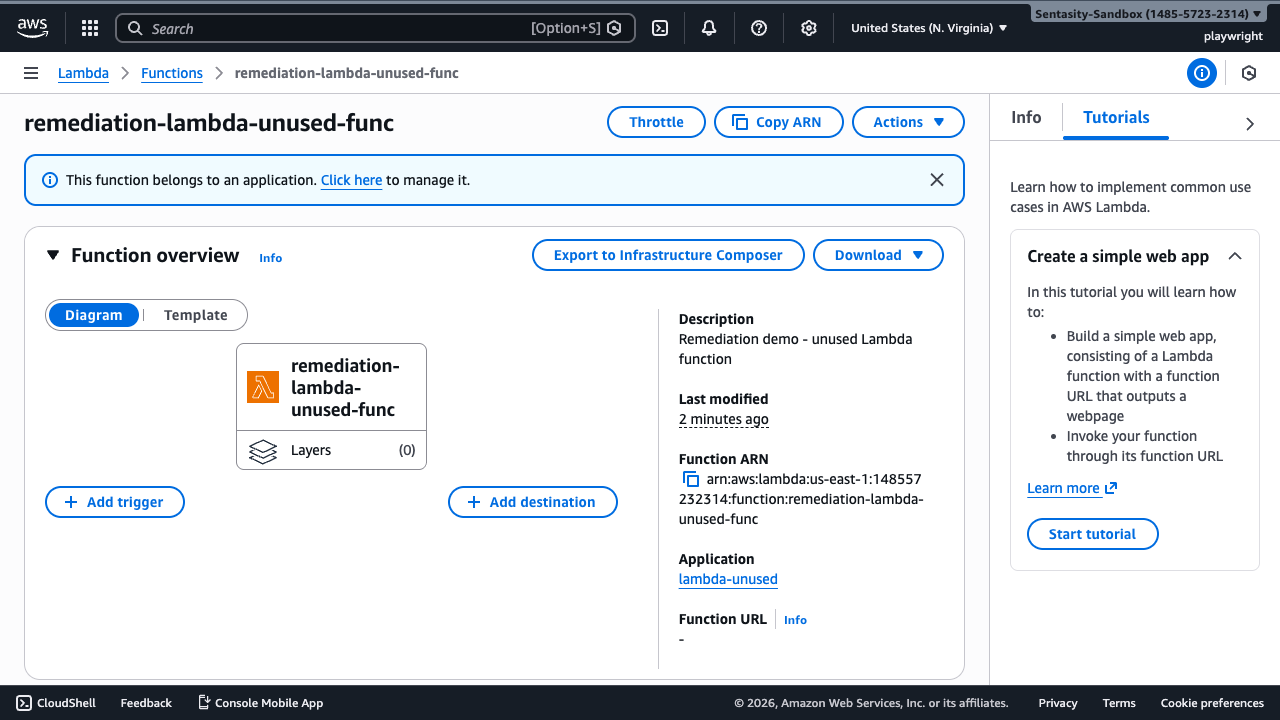
The function overview shows basic information including description, ARN, application association, and the function diagram showing layers and triggers.
Step 3: Check Monitoring Metrics
Click the Monitor tab to view invocation metrics and verify the function is unused.
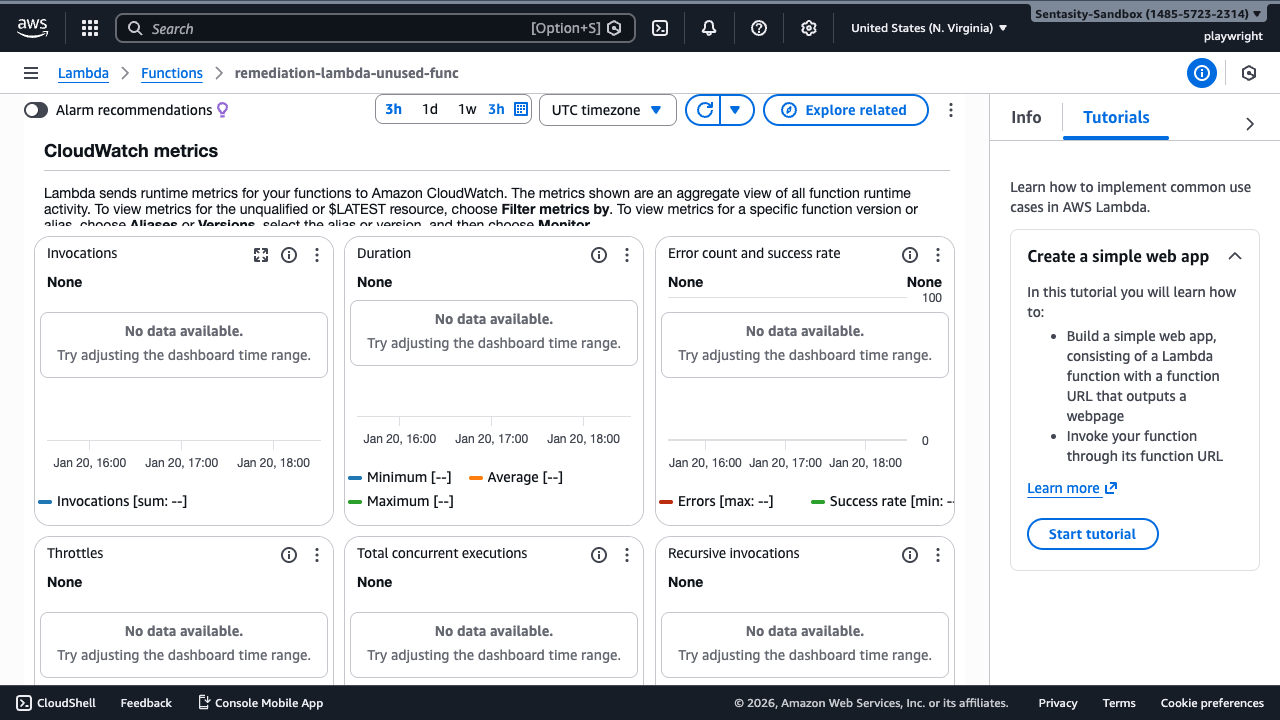
The monitoring tab displays CloudWatch metrics for the function. Initially, the view shows the last 3 hours of data. To verify usage over the past 30 days, change the time range.
Step 4: Verify Zero Invocations Over 30 Days
Click the time range selector and choose 4w to view 4 weeks of data.
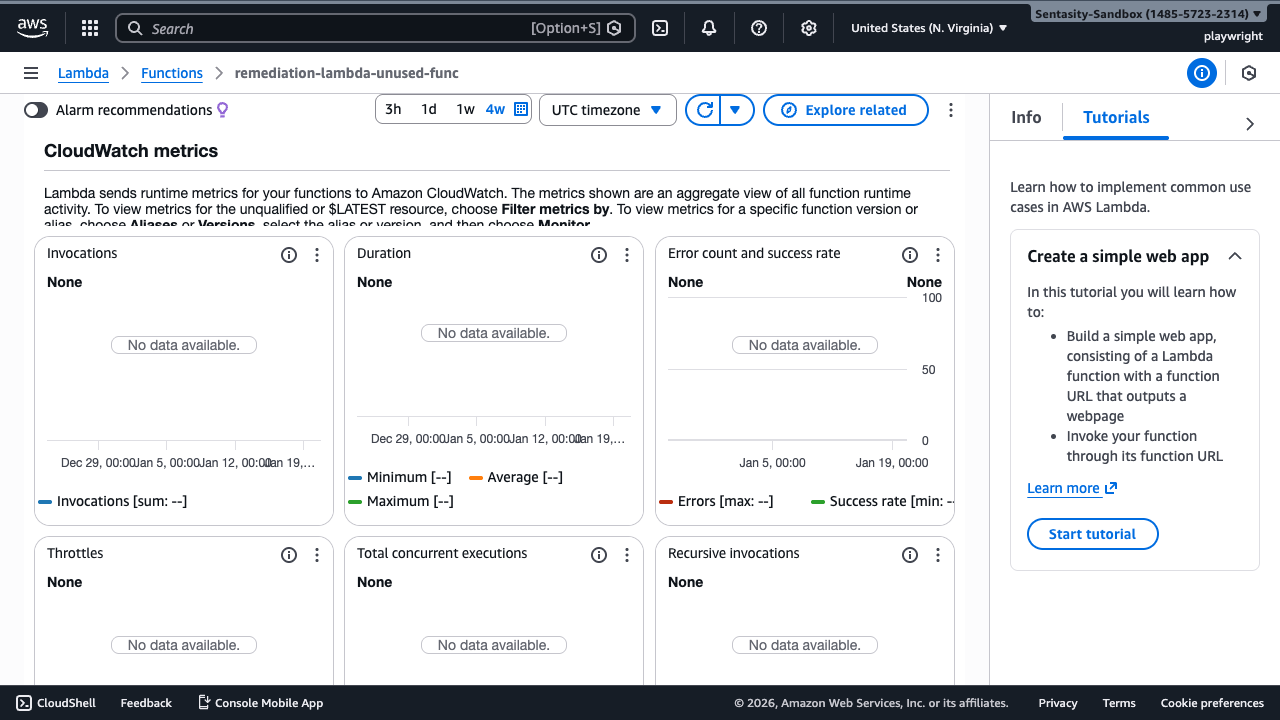
The invocations graph shows "No data available" across all metrics (Invocations, Duration, Errors, Throttles, etc.), confirming the function has had zero invocations over the past 4 weeks.
Step 5: Check for Triggers
Click the Configuration tab, then select Triggers from the left menu to verify there are no active event sources.
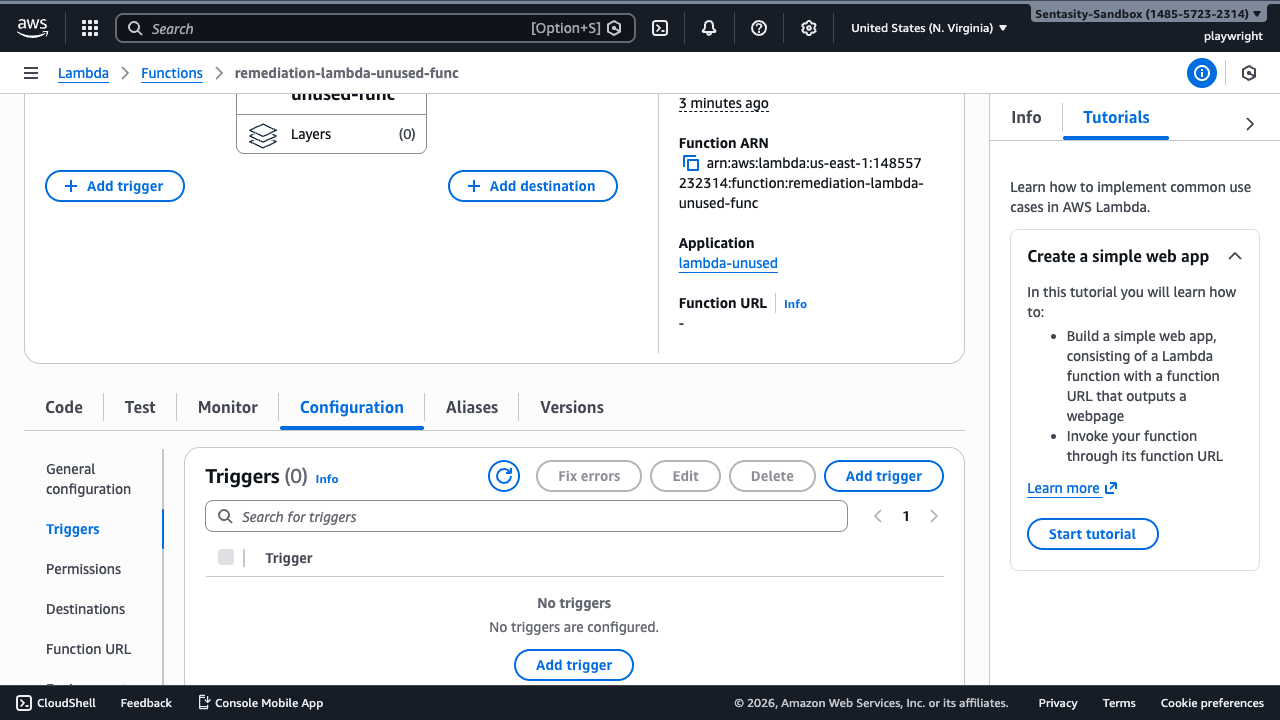
The Triggers section shows "No triggers" configured, indicating the function has no event sources like EventBridge, API Gateway, or S3 that would invoke it.
Step 6: Delete the Function
Click the Actions dropdown button in the top right and select Delete function.
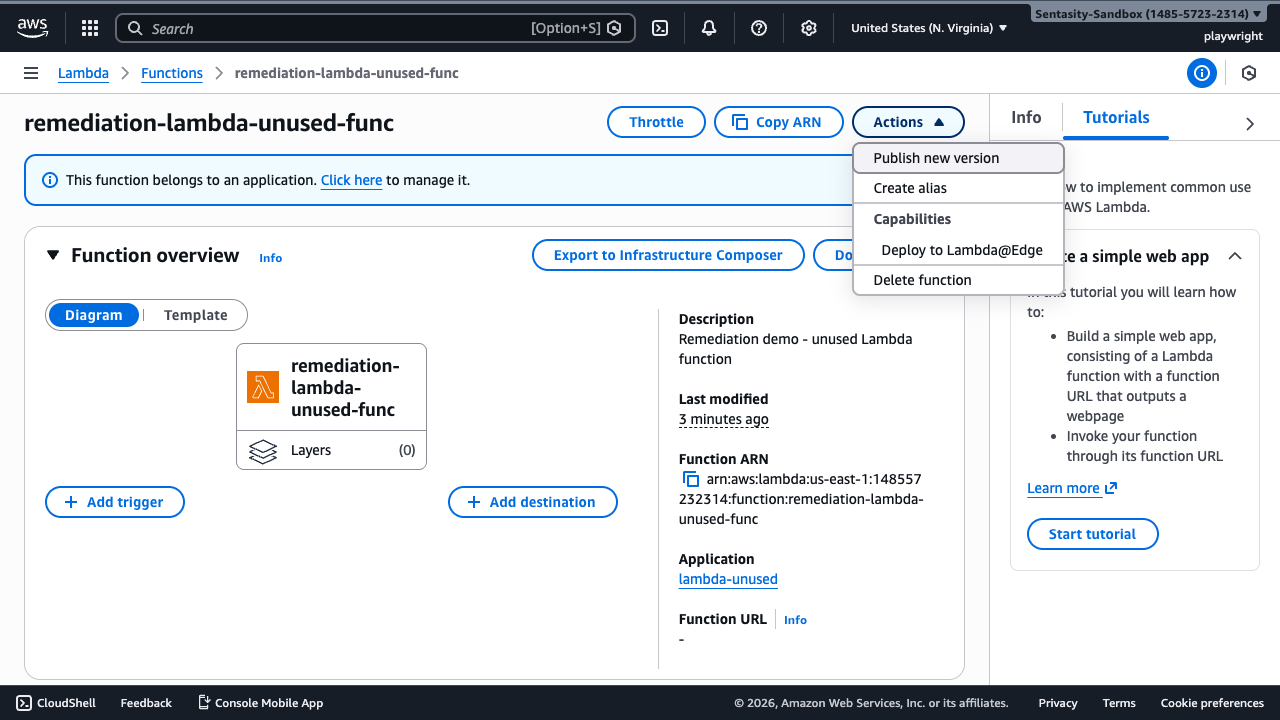
The Actions menu provides various function operations. Select "Delete function" to begin the deletion process.
Step 7: Confirm Deletion
AWS requires typing "confirm" in the text field to prevent accidental deletion.
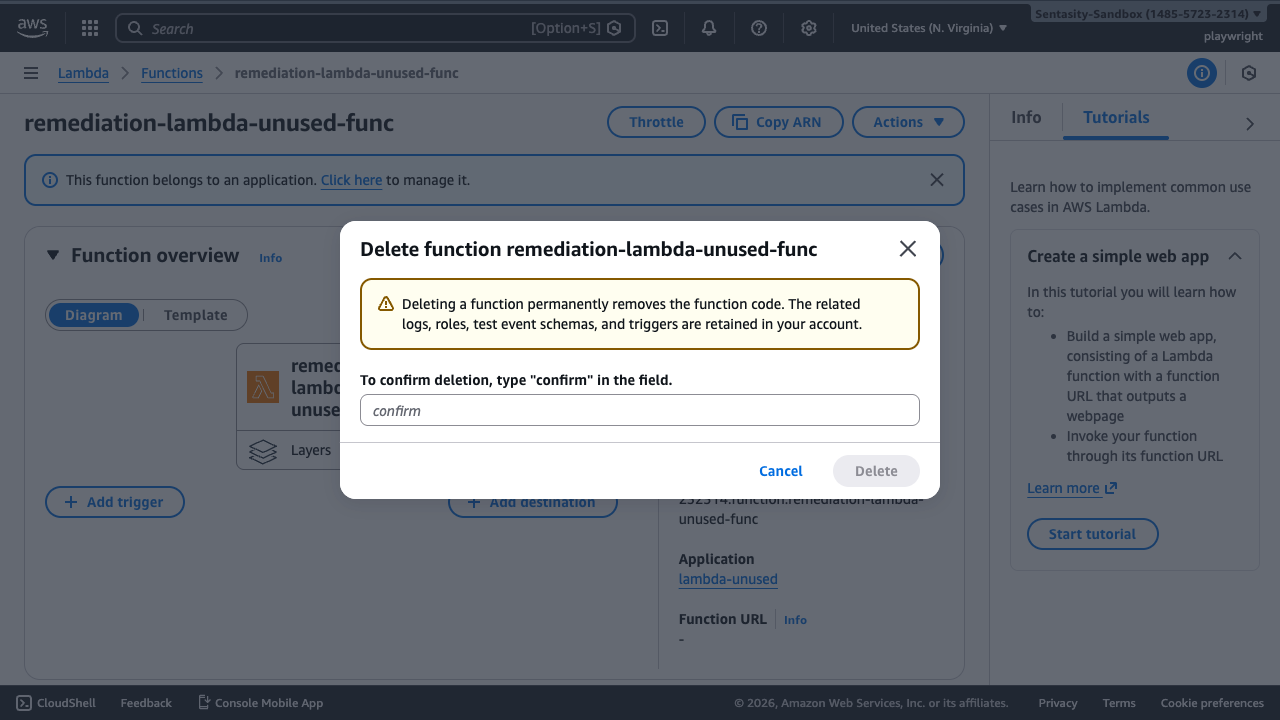
Type confirm in the field and click Delete. The warning explains that deletion permanently removes the function code, though related logs, roles, test event schemas, and triggers are retained.
Step 8: Verify Deletion
After deletion, you're returned to the functions list with a success message.
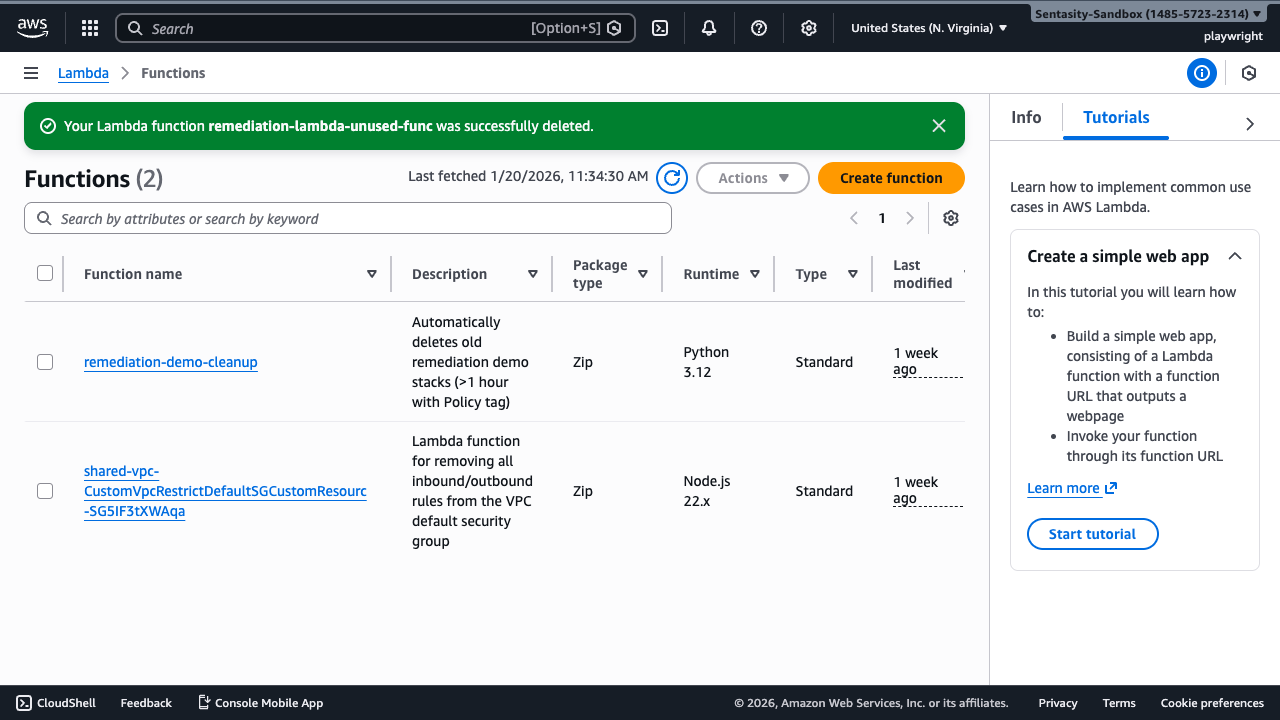
The success message confirms "Your Lambda function remediation-lambda-unused-func was successfully deleted." The function no longer appears in the functions list, which now shows 2 functions instead of the original 3.
Alternative Approaches
AWS CLI
Delete a function using the AWS CLI:
aws lambda delete-function \
  --function-name remediation-lambda-unused-func \
  --region us-east-1
Infrastructure as Code
Remove the function from your CloudFormation template or Terraform configuration and apply the changes:
# CloudFormation
aws cloudformation update-stack --stack-name my-stack --template-body file://template.yaml

# Terraform
terraform apply
Bulk Cleanup
For large-scale cleanup, export the function list and delete multiple unused functions via script:
# List all functions
aws lambda list-functions --region us-east-1 --query 'Functions[*].[FunctionName]' --output text

# Delete multiple functions
for func in $(cat unused-functions.txt); do
  aws lambda delete-function --function-name "$func" --region us-east-1
done
Archive Before Delete
If uncertain about deletion, export the function code first:
# Download function code
aws lambda get-function --function-name remediation-lambda-unused-func \
  --query 'Code.Location' --output text | xargs curl -o function.zip

# Store in S3 for safekeeping
aws s3 cp function.zip s3://my-backup-bucket/lambda-functions/remediation-lambda-unused-func.zip
Cost Impact
Unused Lambda functions have minimal direct costs:
- Storage: Free for first 512MB, then $0.03/GB-month
- No invocation charges for unused functions
The primary benefits of deletion are:
- Reduced security risk from outdated dependencies
- Cleaner operational environment
- Simplified resource management
Summary
Successfully deleted the unused Lambda function by:
- Confirming zero invocations over 30 days via CloudWatch metrics
- Verifying no active triggers or event sources
- Using the AWS Console delete function with confirmation
- Validating the function was removed from the functions list
Deletion is immediate and irreversible. Always verify function usage before deletion.