ElastiCache Clusters with Low Hit Rates
Overview
This tutorial demonstrates how to identify and remediate ElastiCache clusters with low cache hit rates. A cache hit rate below 80% typically indicates the cache isn't providing sufficient value relative to its cost. You'll learn how to evaluate cache metrics and safely delete underperforming clusters.
What you'll accomplish:
- Navigate to the ElastiCache console
- Review cache hit rate metrics
- Delete a low-performing cache cluster
Prerequisites:
- AWS Console access with ElastiCache permissions
- An ElastiCache cluster to evaluate
Step 1: Navigate to ElastiCache Dashboard
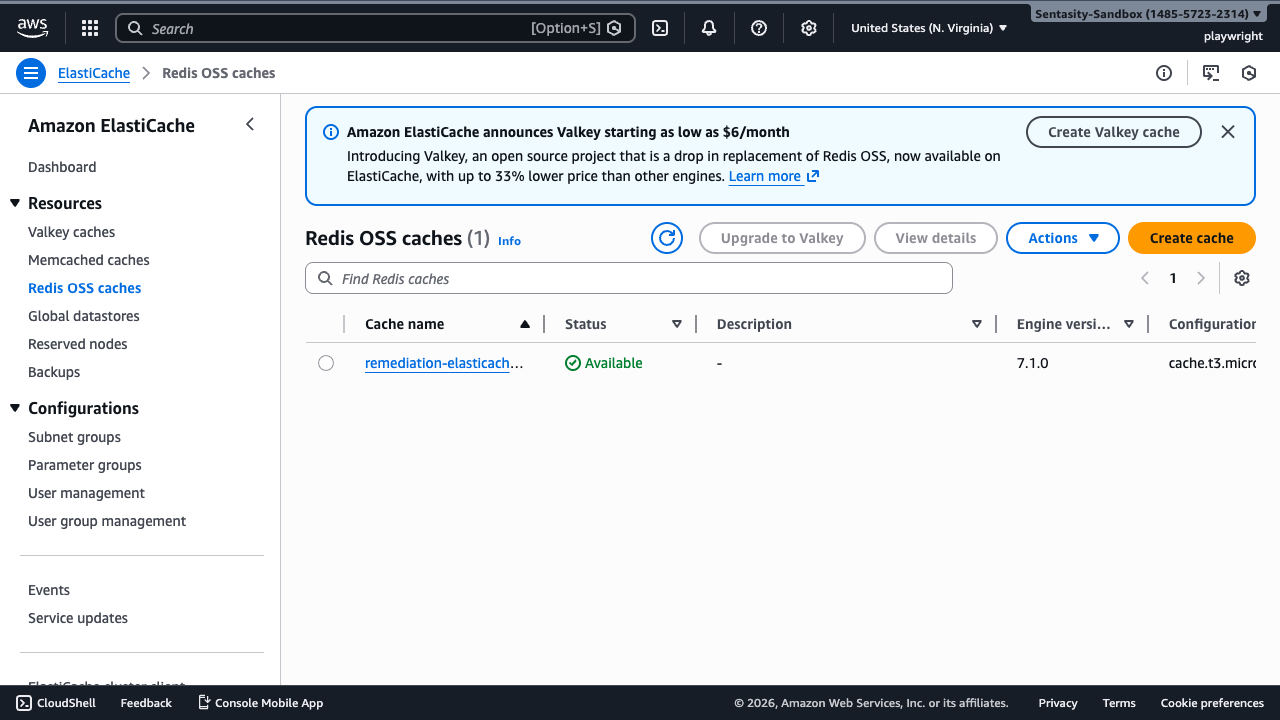
Navigate to the ElastiCache console in us-east-1. The Redis clusters view shows all active cache clusters in your account.
Step 2: Access Cluster Details
Click on the cluster remediation-elasticache-low-hit-rate-redis to view its details.
Step 3: View Cache Metrics
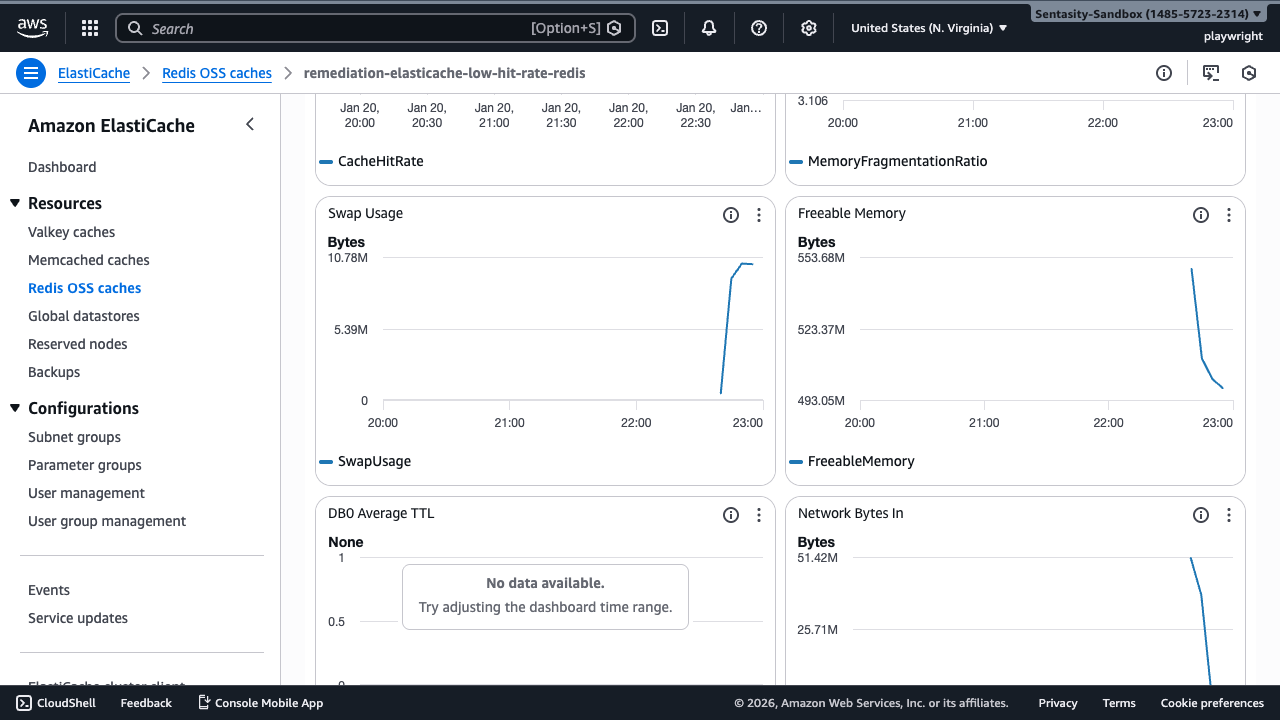
Click the Metrics tab to view cache performance. Look for the CacheHitRate metric over the past 7 days.
A healthy cache should maintain >80% hit rate. If the hit rate is consistently below this threshold, the cache may not be cost-effective.
Step 4: Evaluate Hit Rate Data
Note: New clusters won't show meaningful hit rate metrics until they've handled production traffic for several days. For this tutorial cluster, metrics will populate after 30 days of operation.
Decision criteria:
- Hit rate <50%: Strong candidate for elimination
- Hit rate 50-80%: Investigate optimization opportunities
- Hit rate >80%: Cache is performing well
Step 5: Return to Cluster List
Return to the Redis clusters list to delete the underperforming cache.
Step 6: Initiate Cluster Deletion
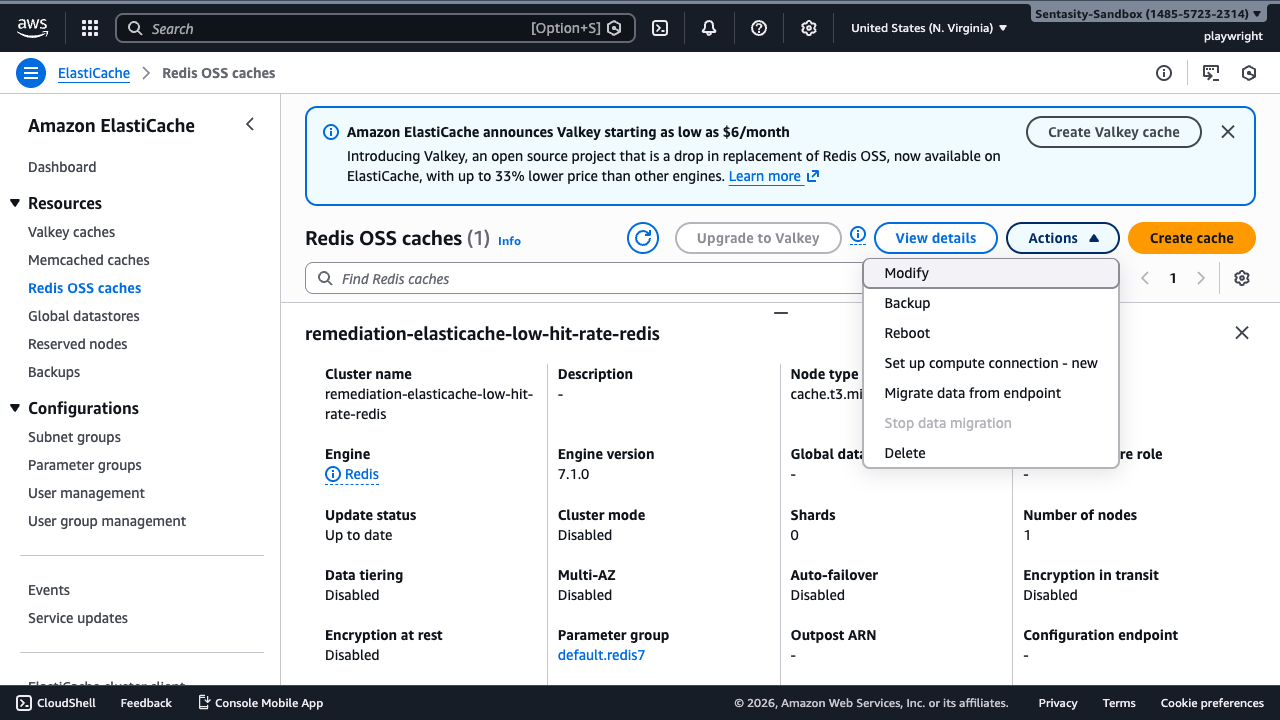
Select the cluster remediation-elasticache-low-hit-rate-redis and click Delete from the Actions menu.
Step 7: Configure Deletion Options
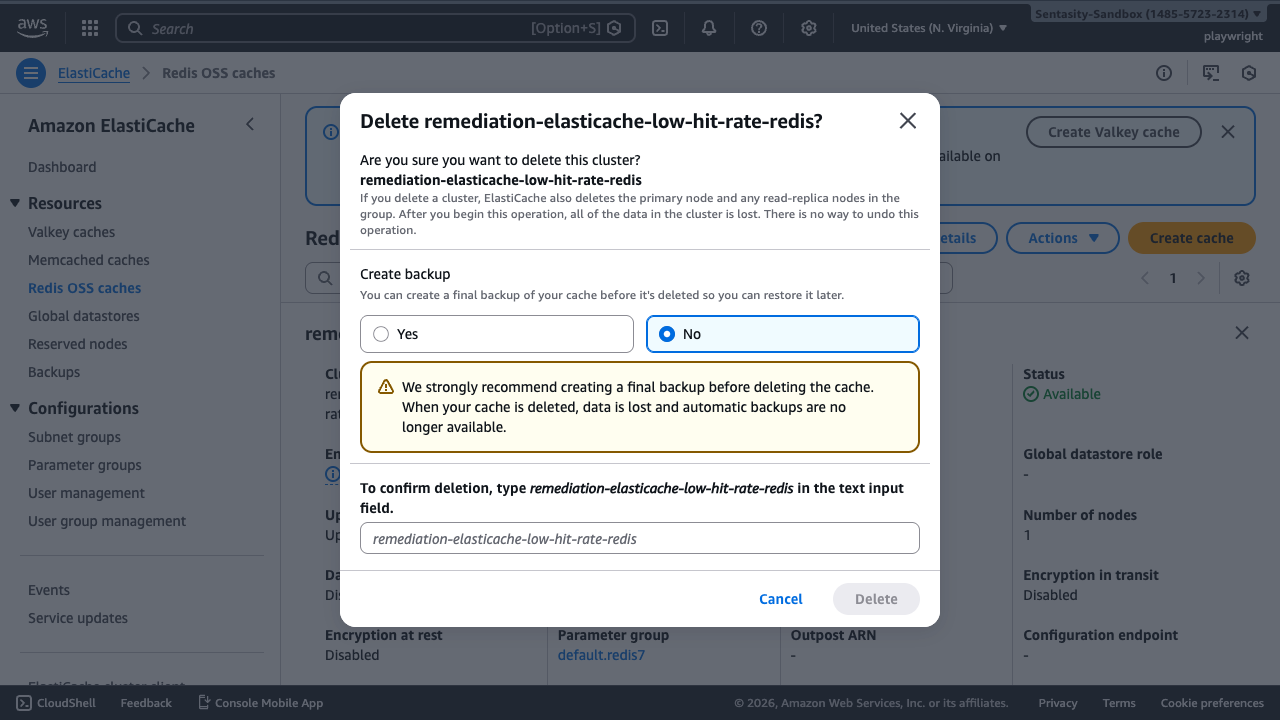
Deletion options:
- Create final backup: Choose "No" for clusters being eliminated due to low value. Choose "Yes" if there's any possibility you'll recreate the cache with the same data.
- Confirmation: Type the cluster name to confirm deletion.
Click Delete to proceed.
Step 8: Verify Deletion
The cluster will show a status of deleting. Deletion typically completes within 5-10 minutes. The cluster will disappear from the list once deletion is complete.
Cost Impact
Deleting a cache.t3.micro cluster saves approximately $12/month. Larger instances (cache.m5.large, cache.r5.xlarge) can save $100-500+/month. Savings are realized immediately upon deletion.
Alternative Approaches
Before deleting, consider these optimization strategies:
- Optimize cache strategy: Review cache key patterns, increase TTL for stable data, implement cache warming, or resize to match working set
- Application-level caching: Consider using in-memory caches in your application servers instead of ElastiCache
- Monitor first: If uncertain, monitor for 1-2 weeks after optimizations before deciding to delete
- Infrastructure as Code: For IaC-managed resources, delete through your infrastructure code (CloudFormation/Terraform) rather than the console
Summary
You've successfully identified and deleted an ElastiCache cluster with low cache hit rates. This remediation eliminates ongoing costs for underperforming infrastructure and helps maintain a cost-effective AWS environment.