ALB Low Traffic
Overview
This tutorial demonstrates how to consolidate multiple low-traffic Application Load Balancers into a single ALB using host-based routing, reducing monthly costs by eliminating redundant ALB base charges.
Remediation Action: Consolidate Target Service: Application Load Balancer (ALB) Estimated Cost Savings: ~$16.43/month per consolidated ALB
Step 1: Identify Low-Traffic ALB
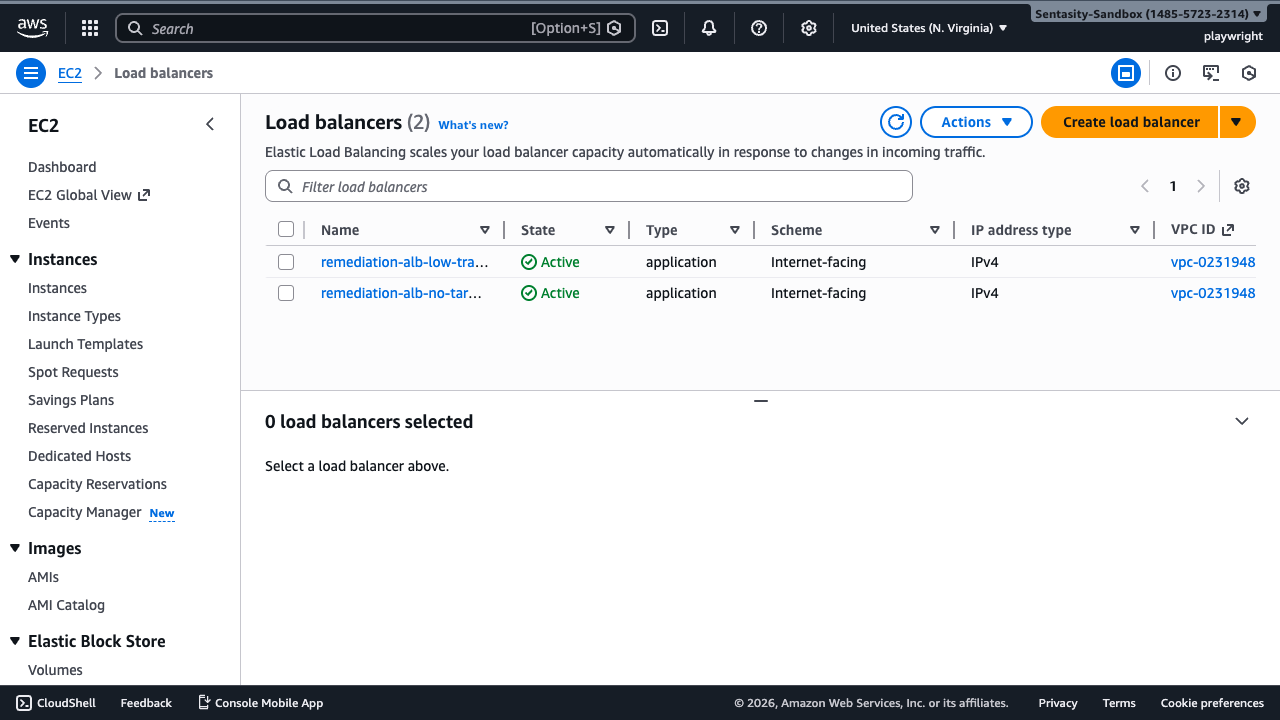
Navigate to the Load Balancers console to identify ALBs with low traffic. The remediation-alb-low-traffic-alb is serving minimal requests and is a candidate for consolidation.
Step 2: View ALB Details
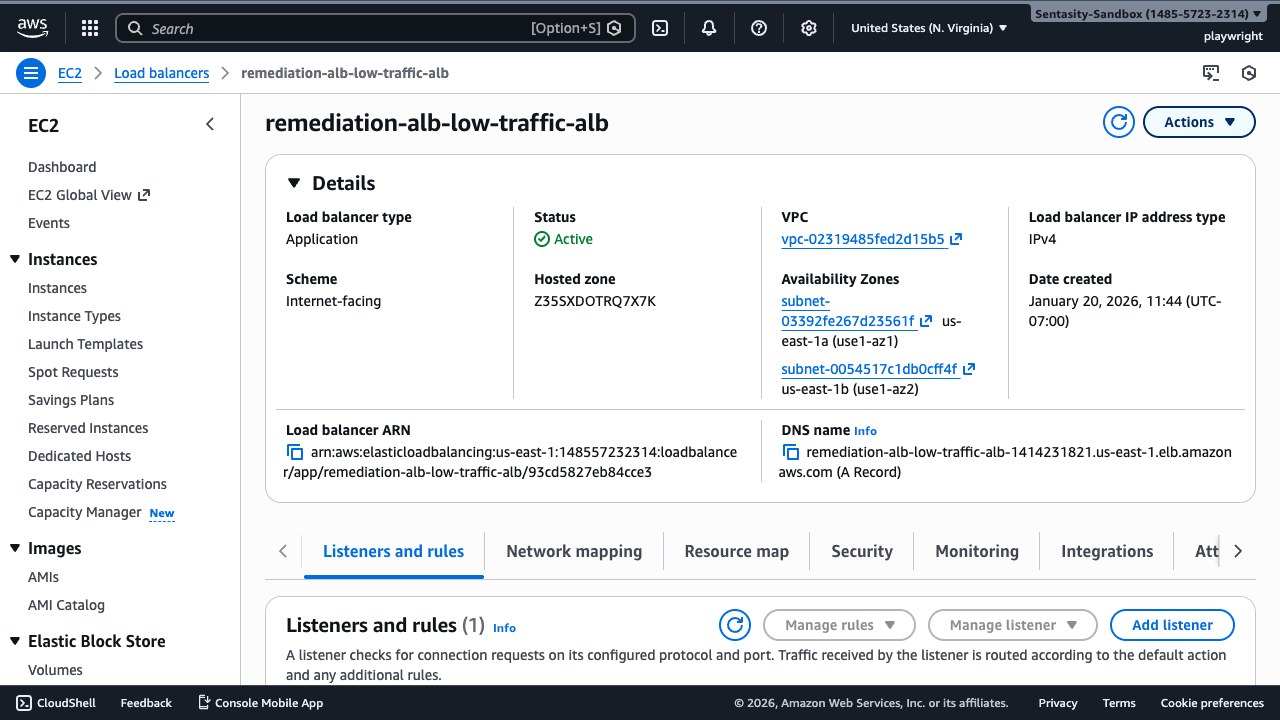
Click on the ALB name to view its configuration. Note the DNS name and listeners that will need to be replicated on a consolidated ALB.

Step 3: Check Current Listeners
Review the Listeners tab to understand the current routing configuration. For consolidation, you'll recreate these as host-based rules on a shared ALB.
Step 4: Review Target Groups
Identify the target groups associated with this ALB. These will be retained and pointed to by new routing rules on the consolidated ALB.
Step 5: Navigate to CloudWatch Metrics
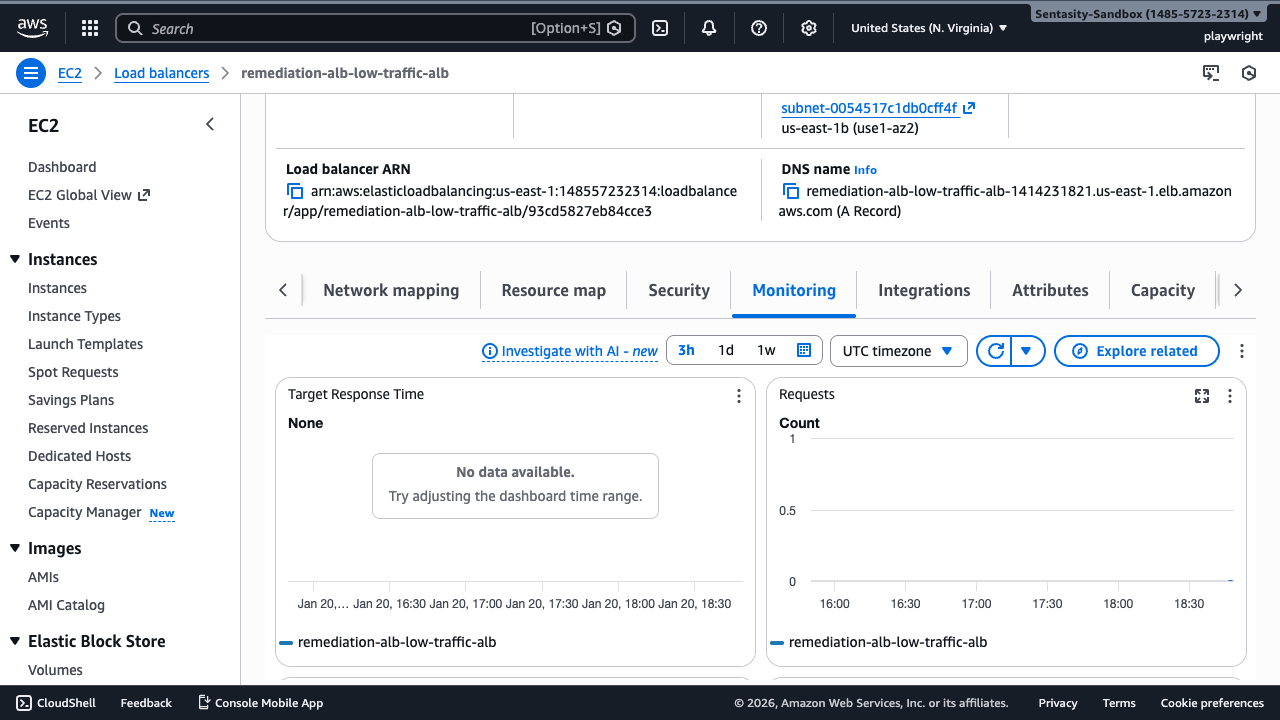
Check the Monitoring tab to confirm low traffic. Look for RequestCount metrics showing <100 requests/hour over the past 7 days, validating this as a consolidation candidate.
Step 6: Plan Consolidation Architecture
Consolidation Strategy
For this low-traffic ALB, the consolidation approach is:
- Identify or create a primary ALB to receive consolidated traffic
- Add host-based routing rules - Create listener rules like
Host: app.example.com → Target Group A - Update DNS records - Point application domains to the consolidated ALB
- Test thoroughly - Verify traffic routing before deletion
- Delete the low-traffic ALB - Remove after confirming no traffic
Example routing configuration:
Consolidated ALB
├── Rule: Host = app1.example.com → Target Group A (from old ALB #1)
├── Rule: Host = app2.example.com → Target Group B (from old ALB #2)
└── Default → Target Group Default
Step 7: Create Host-Based Routing Rule (Demo)
On your consolidated ALB (or create one if needed), navigate to the Listeners tab to add host-based routing rules.
Step 8: Add Listener Rule
Click "View/edit rules" on the listener, then "Add rule" to create a host-based routing rule that directs traffic to the existing target group.
Step 9: Configure Host Condition
Add a condition for "Host header" matching your application's domain (e.g., app.example.com). This routes traffic based on the requested hostname.
Step 10: Configure Forward Action
Set the action to "Forward to" and select the target group from the low-traffic ALB. This preserves existing backend routing.
Step 11: Update DNS Records
Update DNS
In your DNS provider (Route 53, etc.), update the CNAME or A record for your application domain:
Before:
app.example.com → remediation-alb-low-traffic-alb-1414231821.us-east-1.elb.amazonaws.com
After:
app.example.com → consolidated-alb-123456789.us-east-1.elb.amazonaws.com
Wait for DNS propagation (typically 5-60 minutes depending on TTL).
Step 12: Verify Traffic Routing
Test the application to confirm traffic is routing correctly through the consolidated ALB:
curl -H "Host: app.example.com" http://consolidated-alb-123456789.us-east-1.elb.amazonaws.com
Monitor target group health and CloudWatch metrics on the consolidated ALB.
Step 13: Monitor Consolidated ALB
Monitor the consolidated ALB for 24-48 hours to ensure stable operation. Check:
- Target health status remains healthy
- Request count matches expected traffic
- No increase in 4xx/5xx errors
Step 14: Delete Low-Traffic ALB
Once traffic has been successfully migrated and verified, return to the Load Balancers console to delete the unused ALB.
Step 15: Select ALB for Deletion
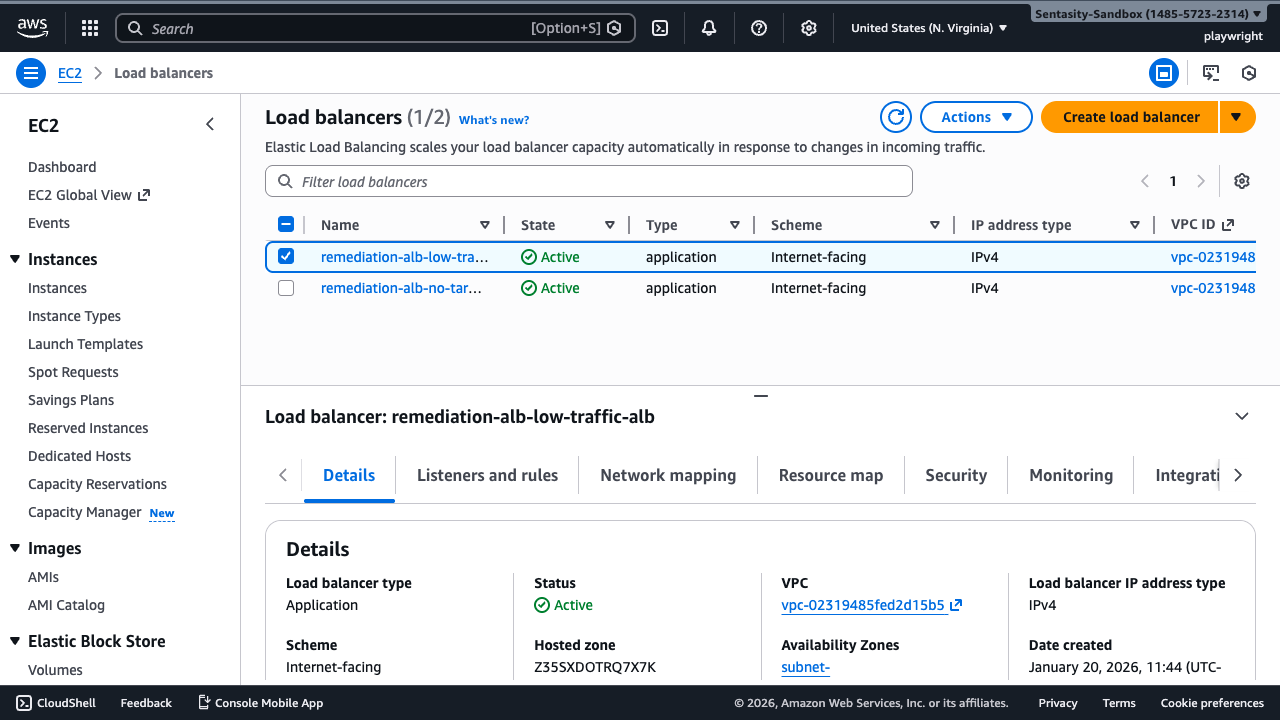
Select the low-traffic ALB that has been replaced. Confirm no traffic is being served before proceeding.
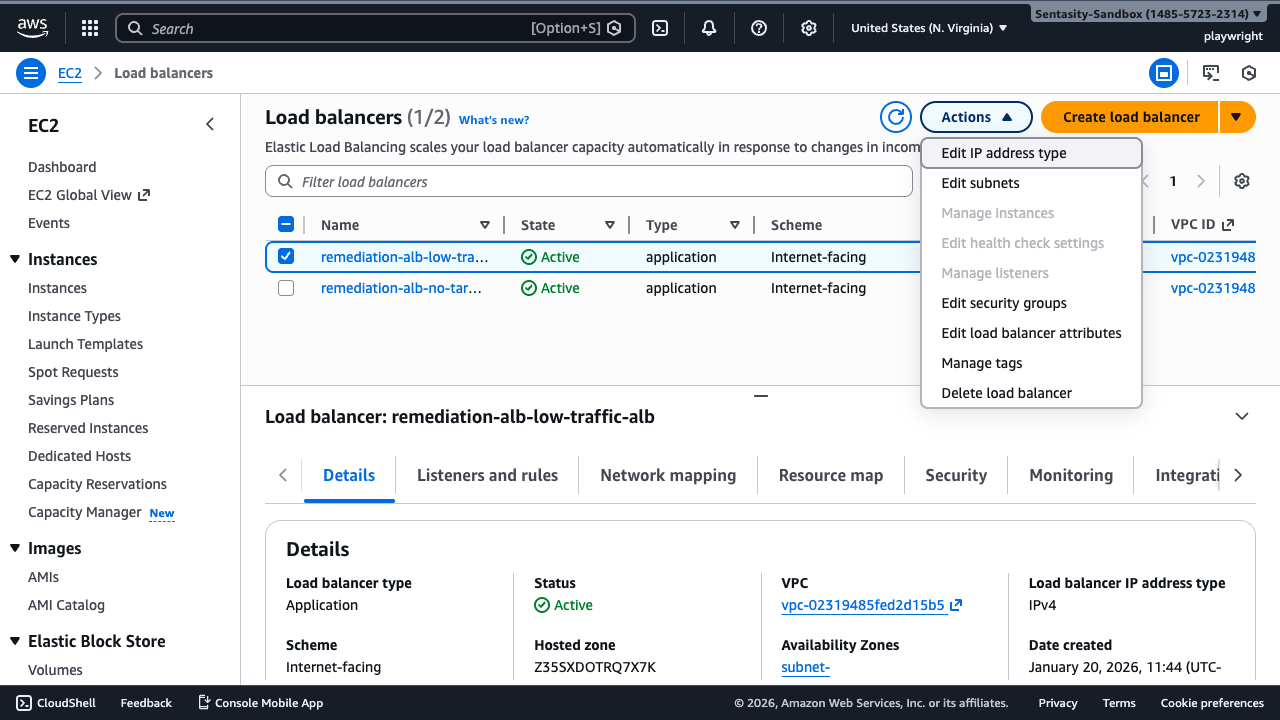
Step 16: Delete ALB
Click Actions > Delete load balancer. This immediately stops billing for the ALB base charge (~$16/month savings per ALB).
Step 17: Confirm Deletion
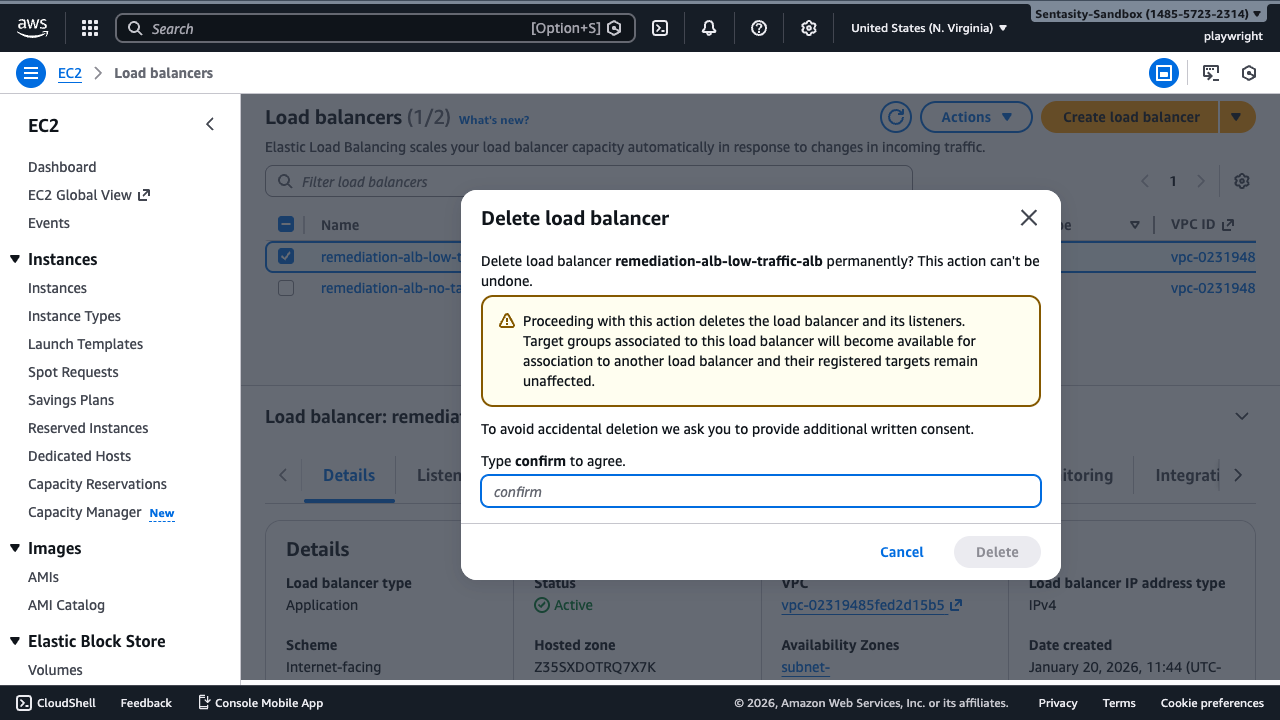
Confirm the deletion. The ALB will be removed within a few minutes. Target groups are preserved and remain attached to the consolidated ALB.
Step 18: Verify Deletion
The ALB has been successfully deleted. The load balancer list no longer shows the low-traffic ALB, confirming cost savings are now active.

Cost Impact
Each consolidated ALB saves approximately $16.43/month in base charges. Consolidating 5 low-traffic ALBs into 1 ALB yields $65.72/month savings ($788.64/year). LCU charges may increase slightly on the consolidated ALB but are typically minimal compared to base cost savings.
Alternative Approaches
- API Gateway: For simple HTTP/HTTPS APIs with low traffic, consider API Gateway pay-per-request pricing instead of ALB
- CloudFront + Lambda@Edge: For static content or edge routing, CloudFront can eliminate ALB entirely
- Path-based routing: Instead of host-based routing, use path patterns (e.g.,
/app1/*,/app2/*) if multiple apps can share a domain - Classic Load Balancer migration: If using CLBs, migrate to ALB for cost savings and better features before consolidation
- Do nothing: If ALBs require network isolation for security/compliance, consolidation may not be appropriate
Summary
This tutorial demonstrated how to identify, consolidate, and delete low-traffic Application Load Balancers to reduce AWS costs. By using host-based routing on a shared ALB, you can eliminate redundant base charges while maintaining application functionality.