Delete an Unused Classic Load Balancer
Policy: elb-no-instances Estimated Cost Savings: $18.25/month ($219/year) Estimated Time: 5 minutes
Overview
This tutorial demonstrates how to identify and delete a Classic Load Balancer with no registered instances. An empty load balancer cannot serve traffic but still costs approximately $18.25/month. Deleting unused load balancers eliminates this waste immediately.
Prerequisites
- AWS Console access to the account
- Permissions to view and delete Elastic Load Balancers
Steps
1. Navigate to Load Balancers Console
Navigate to the EC2 Load Balancers console to view all load balancers in us-east-1.
2. Locate and Select the Idle Load Balancer
Search for elb-no-in-ClassicE-2AP7FVLSEVGJ to locate the Classic Load Balancer with no instances. Select the load balancer by clicking its checkbox.
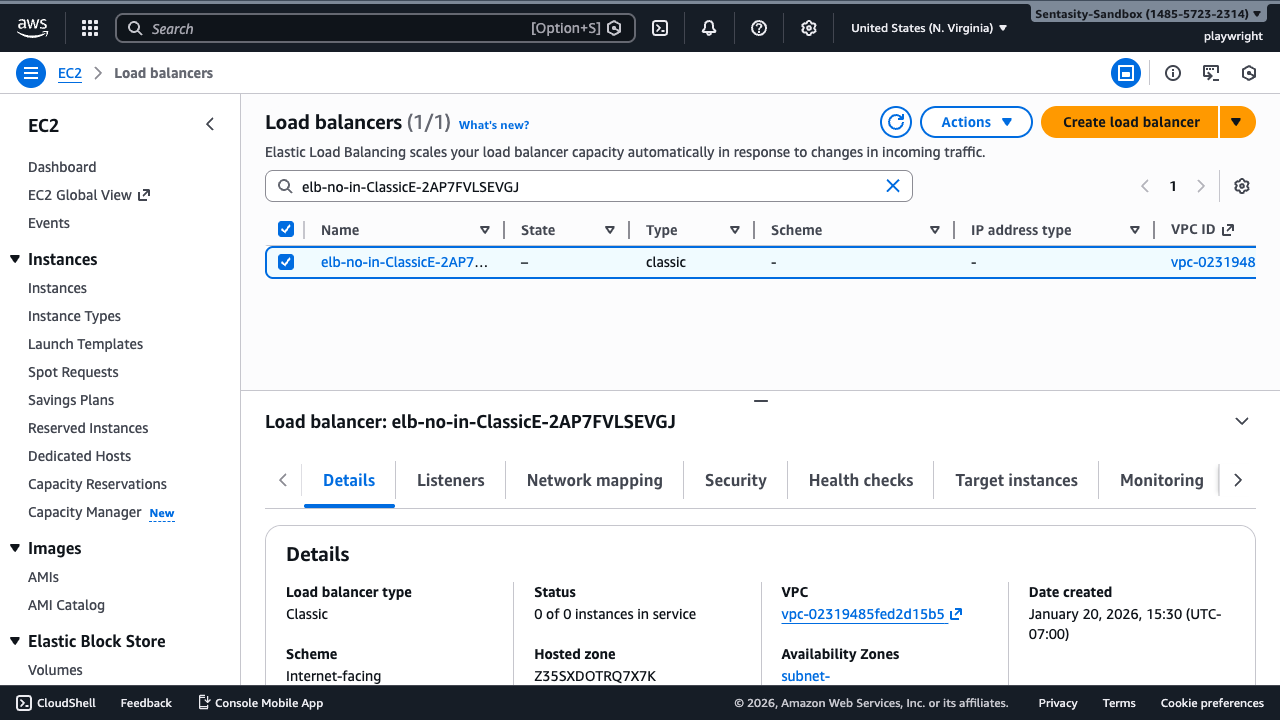
Note the "Status" field in the Details tab shows "0 of 0 instances in service", confirming this ELB serves no traffic.
3. Verify No Registered Instances
Click the Target instances tab to confirm there are no registered instances. The tab shows "Target instances (0)" and displays "No target instances" in the table.
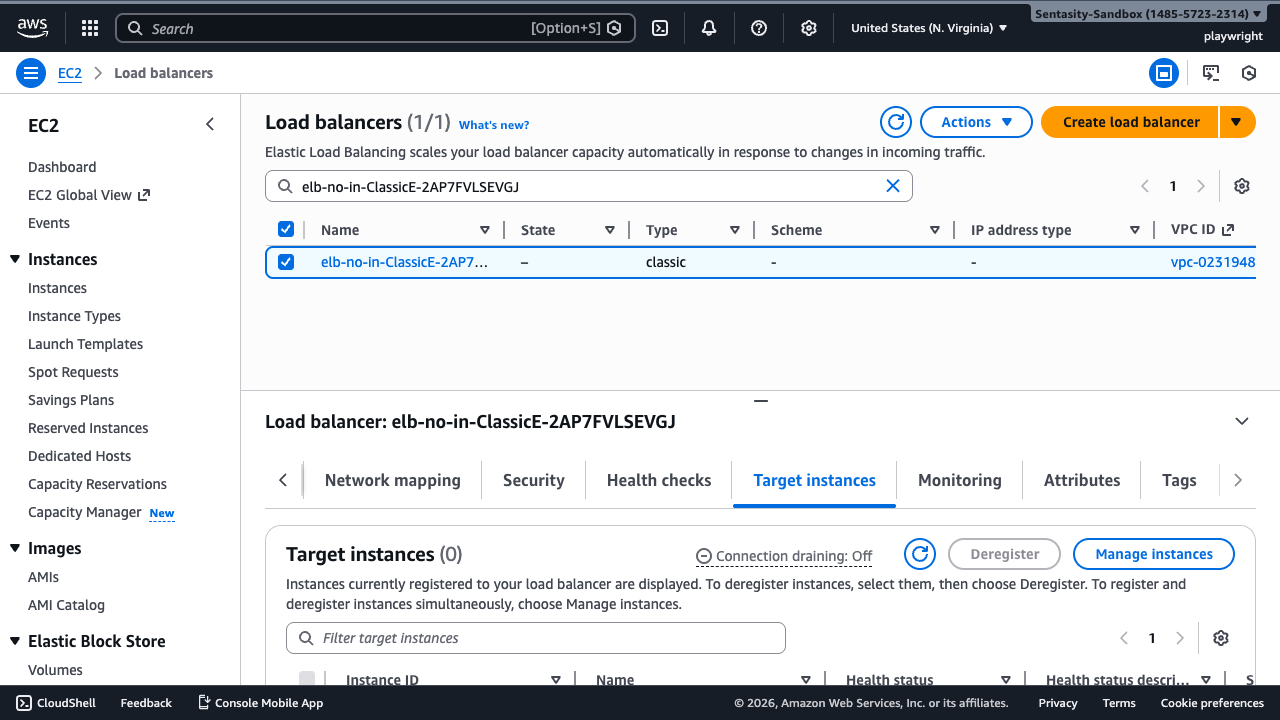
An empty load balancer cannot serve any traffic but still costs ~$18/month in us-east-1.
4. Delete the Load Balancer
With the load balancer selected, click the Actions dropdown and select Delete.
In the confirmation dialog, type confirm to acknowledge the deletion, then click Delete.
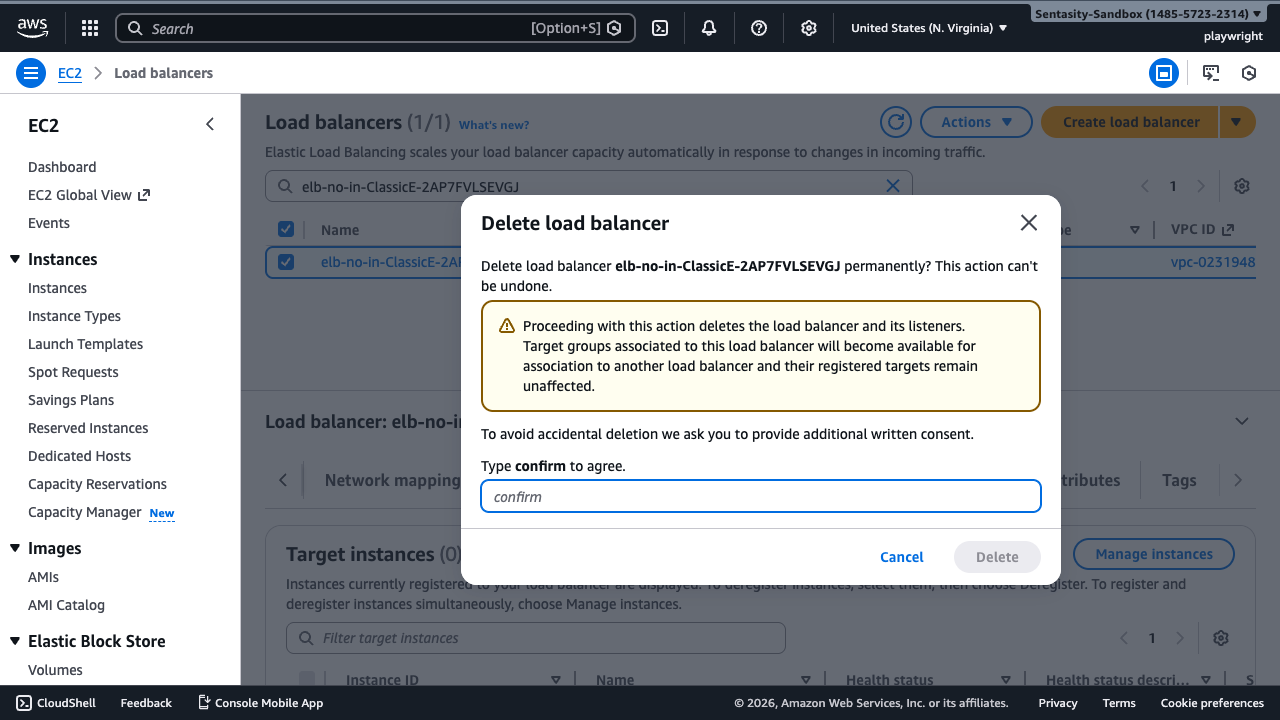
⚠️ Production Warning: Before deleting in production, verify no DNS records point to this load balancer's DNS name (elb-no-in-ClassicE-2AP7FVLSEVGJ-465804220.us-east-1.elb.amazonaws.com).
5. Verify Deletion
The load balancer is deleted immediately. AWS displays a success message and the load balancer is removed from the list. Billing stops immediately upon deletion.
Cost Impact
Deleting this unused Classic Load Balancer saves approximately $18.25/month ($219/year). The savings begin immediately upon deletion—AWS stops charging as soon as the resource is deleted.
Alternative Approaches
AWS CLI
aws elb delete-load-balancer \
  --load-balancer-name elb-no-in-ClassicE-2AP7FVLSEVGJ \
  --region us-east-1
Infrastructure as Code
Use CloudFormation/CDK/Terraform to manage load balancer lifecycle and prevent orphaned resources.
Migration Instead of Deletion
If the load balancer will be needed again, consider migrating to ALB (Application Load Balancer) which offers modern features like path-based routing, HTTP/2, and WebSocket support. However, if truly unused, deletion is the correct action.
Summary
By deleting this unused Classic Load Balancer, you've eliminated $18.25/month in wasteful spending. The deletion is immediate and irreversible, so always verify the load balancer is truly unused before proceeding with deletion in production environments.