Unattached EBS Volumes (7+ Days)
Overview
This tutorial demonstrates how to remediate unattached EBS volumes that have been idle for over 7 days. Unattached volumes continue to accrue storage charges even though they're not in use, making them a prime target for cost optimization.
Cost Impact: For an 8 GiB gp3 volume, you'll save $0.64/month ($7.68/year). For larger volumes, savings scale proportionally - a 500 GB gp3 volume would save $40/month or $480/year.
Prerequisites
- Access to the AWS Console
- Appropriate IAM permissions to view and delete EBS volumes
- Understanding of whether the volume contains data you need to preserve
Step 1: Navigate to EBS Volumes
Navigate to the EBS Volumes console at: https://us-east-1.console.aws.amazon.com/ec2/home?region=us-east-1#Volumes:
This will display all EBS volumes in your AWS account for the us-east-1 region.
Step 2: Locate the Unattached Volume
Search for the specific volume ID (in this case, vol-0e4945de6fe24e446) using the search bar, or filter by State: "available" to find all unattached volumes.
Step 3: Select and Verify the Volume
Select the checkbox next to the unattached volume. The volume details panel on the right will show:
- Volume state: Available (confirming it's unattached)
- Attached resources: "-" (no instances attached)
- Type: gp3
- Size: 8 GiB
- Created: Date/time of volume creation
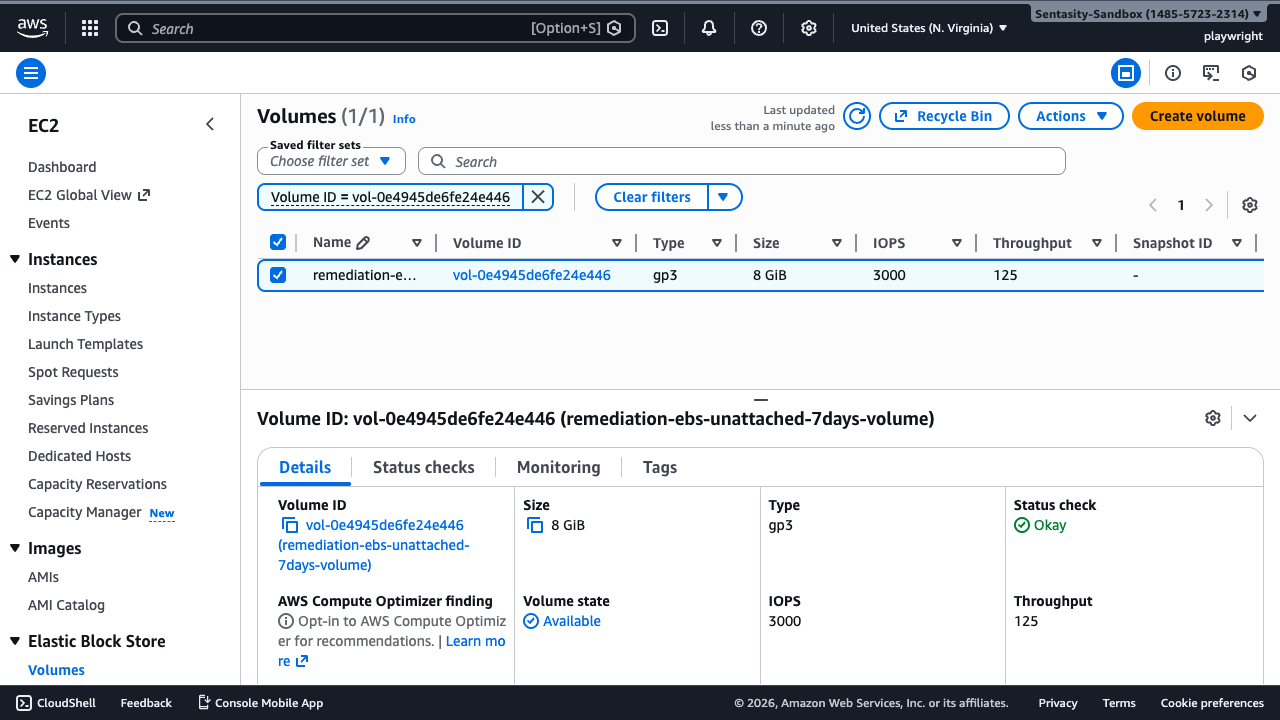
Verify that:
- The State shows "Available" (not "in-use")
- The Attachment information is empty
- Check any tags to ensure the volume isn't serving a specific purpose
Step 4: Create Snapshot (Optional but Recommended)
If you want to preserve the data before deletion, create a snapshot:
- With the volume selected, click Actions → Create snapshot
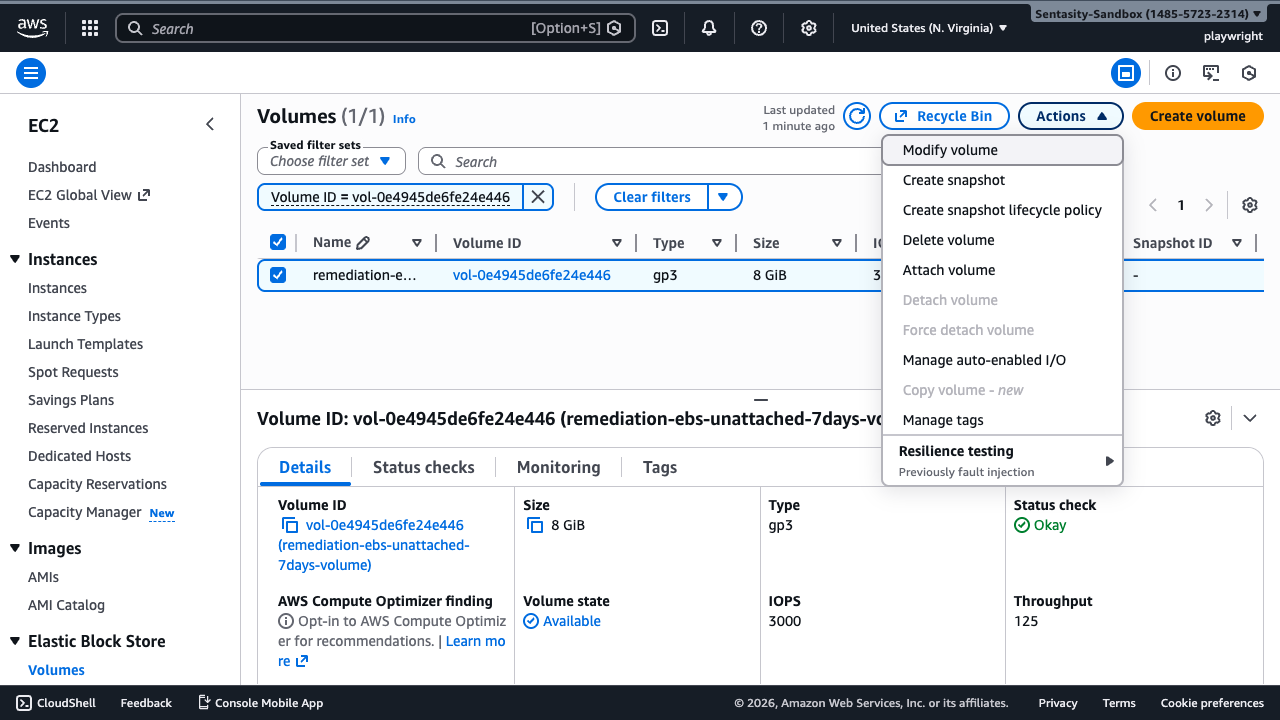
- Enter a description like "Backup before deletion - vol-0e4945de6fe24e446"
- Add tags if needed for organization
- Click Create snapshot
Cost Consideration: Snapshots cost $0.05/GB-month instead of $0.08/GB-month for gp3 storage - a 37.5% reduction. For this 8 GiB volume, you'll pay $0.40/month for the snapshot versus $0.64/month for the live volume.
Wait for the snapshot to reach "completed" status before proceeding with deletion. For an 8 GB volume, this typically takes 1-2 minutes.
Step 5: Delete the Volume
- With the volume still selected, click Actions → Delete volume
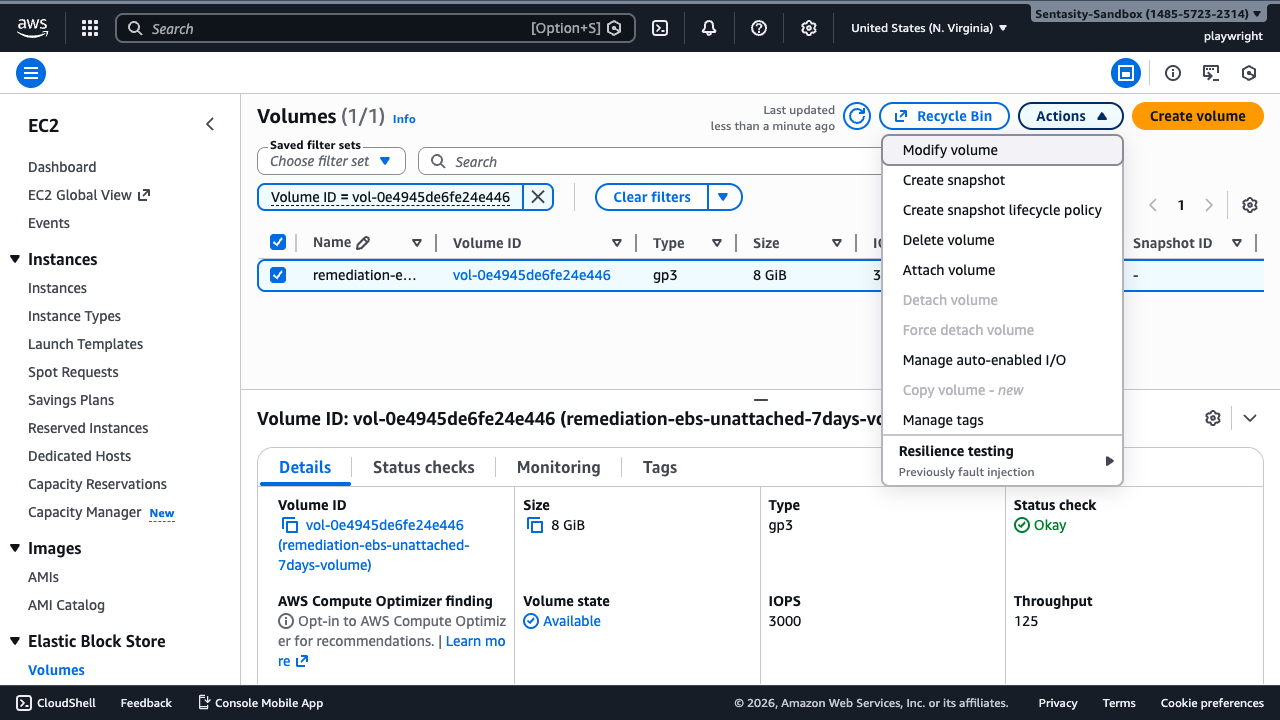
- A confirmation dialog will appear warning that this action cannot be undone
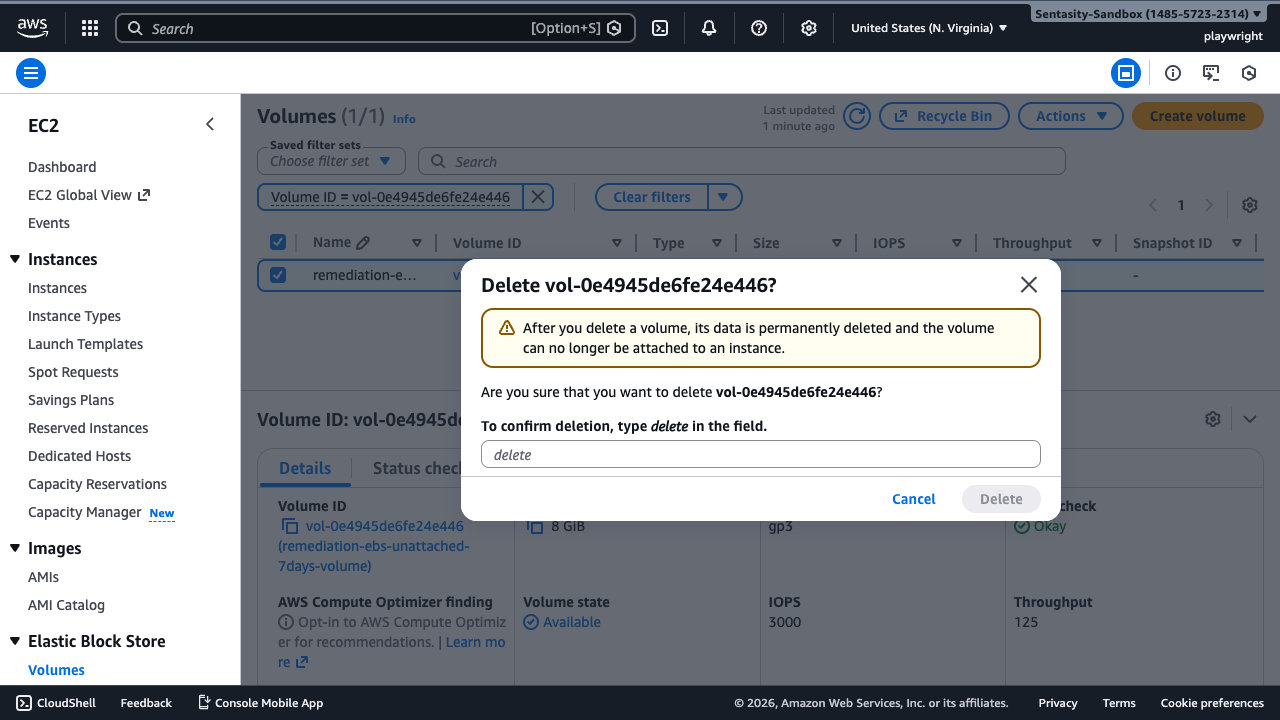
- Type delete in the confirmation field
- Click Delete to confirm
Step 6: Verify Deletion
After deletion:
- The volume will immediately disappear from the volumes list
- The monthly charge of $0.64/month will stop within the hour
- The volume cannot be recovered (unless you created a snapshot)
Alternative Approaches
AWS CLI Method
For scriptable deletion:
aws ec2 delete-volume --volume-id vol-0e4945de6fe24e446
Automation with Lambda
Implement a Lambda function triggered by CloudWatch Events to automatically:
- Identify volumes unattached for >7 days
- Create snapshots (optional)
- Delete the volumes
- Send notifications via SNS
AWS Data Lifecycle Manager
Use Data Lifecycle Manager to automate snapshot creation and retention policies, ensuring backups are maintained according to your retention requirements.
Re-attachment Option
If the volume contains needed data and you have an appropriate instance:
- Navigate to Actions → Attach volume
- Select the target instance and device name
- Click Attach
Note: Only re-attach if the volume will be actively used. Keeping unused volumes attached still incurs the same storage costs.
Summary
- Immediate savings: $0.64/month for 8 GiB gp3 volume
- Annual savings: $7.68/year
- Snapshot alternative: $0.40/month (37.5% savings vs live volume)
- Scaled example: 500 GB gp3 volume saves $40/month or $480/year
Regularly auditing and removing unattached volumes is a simple yet effective way to reduce AWS costs without impacting running infrastructure.