Delete an Unused Application Load Balancer with No Targets
Overview
This tutorial demonstrates how to identify and delete an Application Load Balancer (ALB) that has no registered targets. An ALB with no targets cannot serve any traffic and costs approximately $16.43 per month ($197 per year) in base charges alone. Deleting unused ALBs is a simple way to eliminate waste in your AWS infrastructure.
Prerequisites
- Access to AWS Console with permissions to view and delete Application Load Balancers
- Access to the us-east-1 region
Cost Impact
Monthly savings: ~$16.43/month Annual savings: ~$197/year
Since there are no registered targets, deleting this ALB will not disrupt any services.
Steps
Step 1: Navigate to Load Balancers
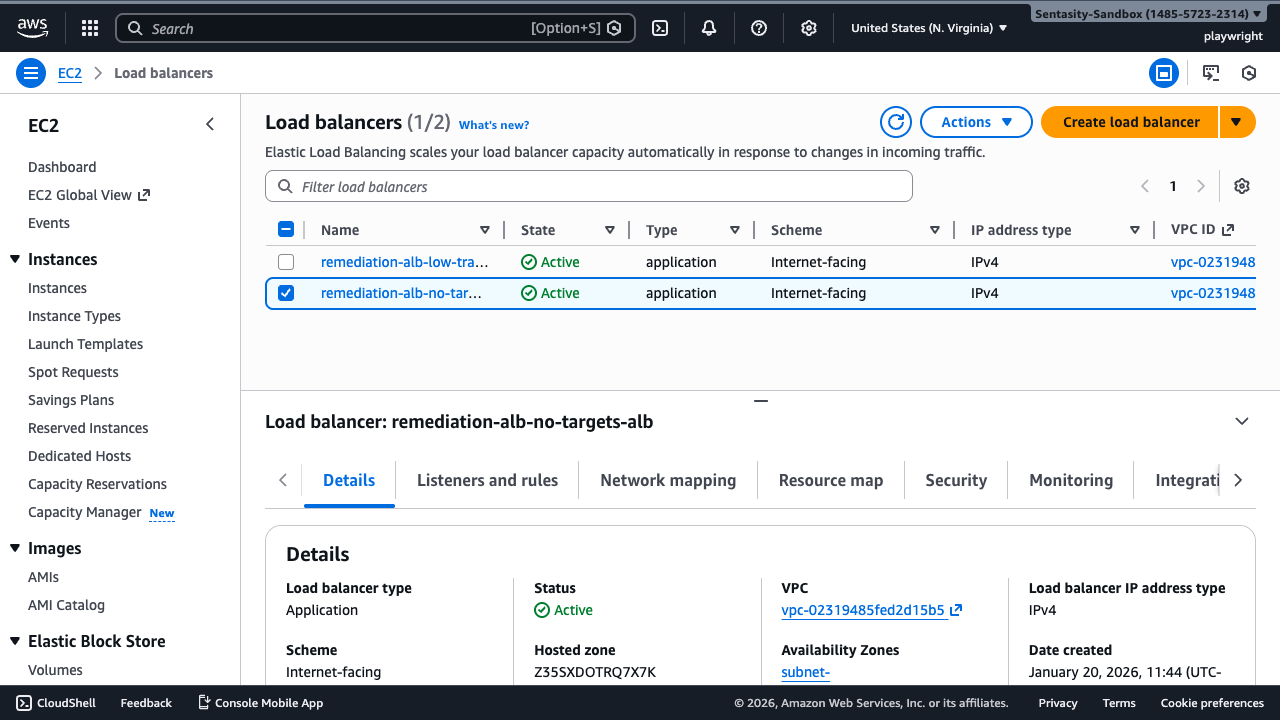
Navigate to the EC2 Load Balancers console in the us-east-1 region.
Step 2: Locate the ALB
Locate the load balancer remediation-alb-no-targets-alb in the list. Notice the Type is "application".
Step 3: View Listeners and Rules
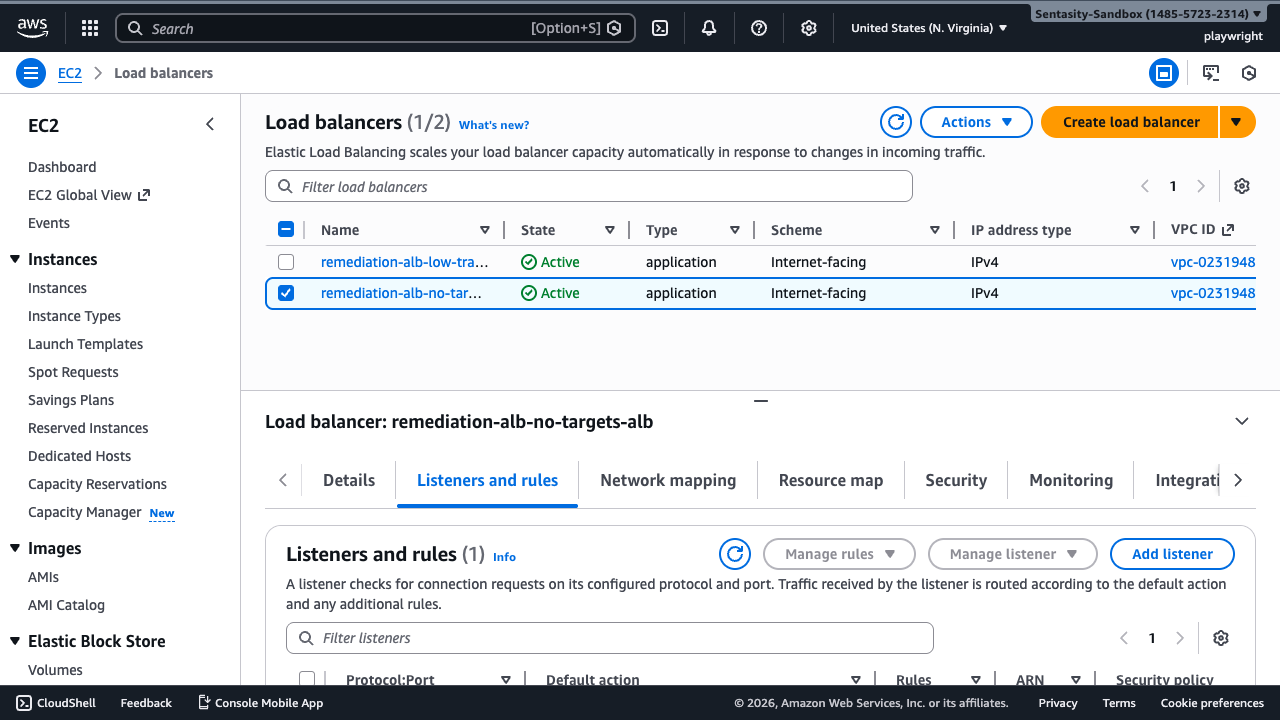
Click the Listeners and rules tab in the lower details panel to see the listener configuration and target group associations.
Step 4: Verify No Targets
Click on the target group link (remediation-alb-no-targets-tg) to verify it has zero registered targets. This confirms the ALB cannot serve any traffic and is pure waste.
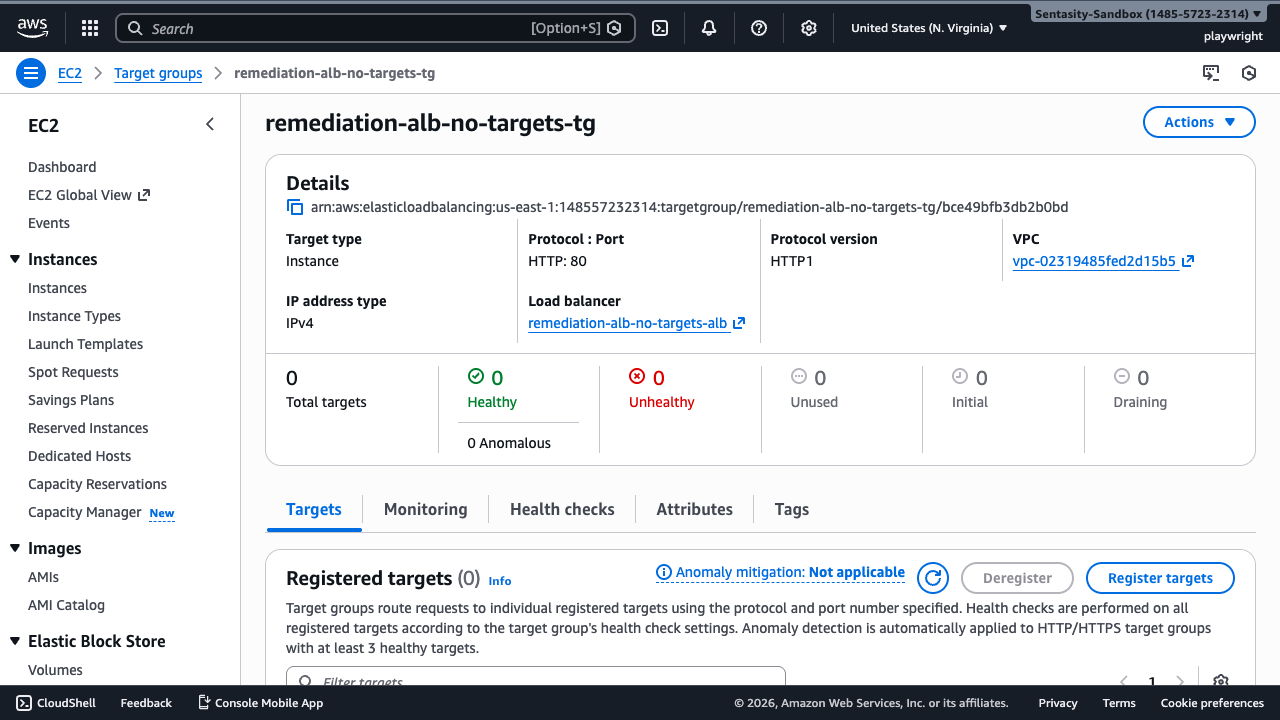
The target group details page shows:
- 0 Total targets
- 0 Healthy targets
- 0 Unhealthy targets
- Message: "No registered targets"
Step 5: Initiate Delete
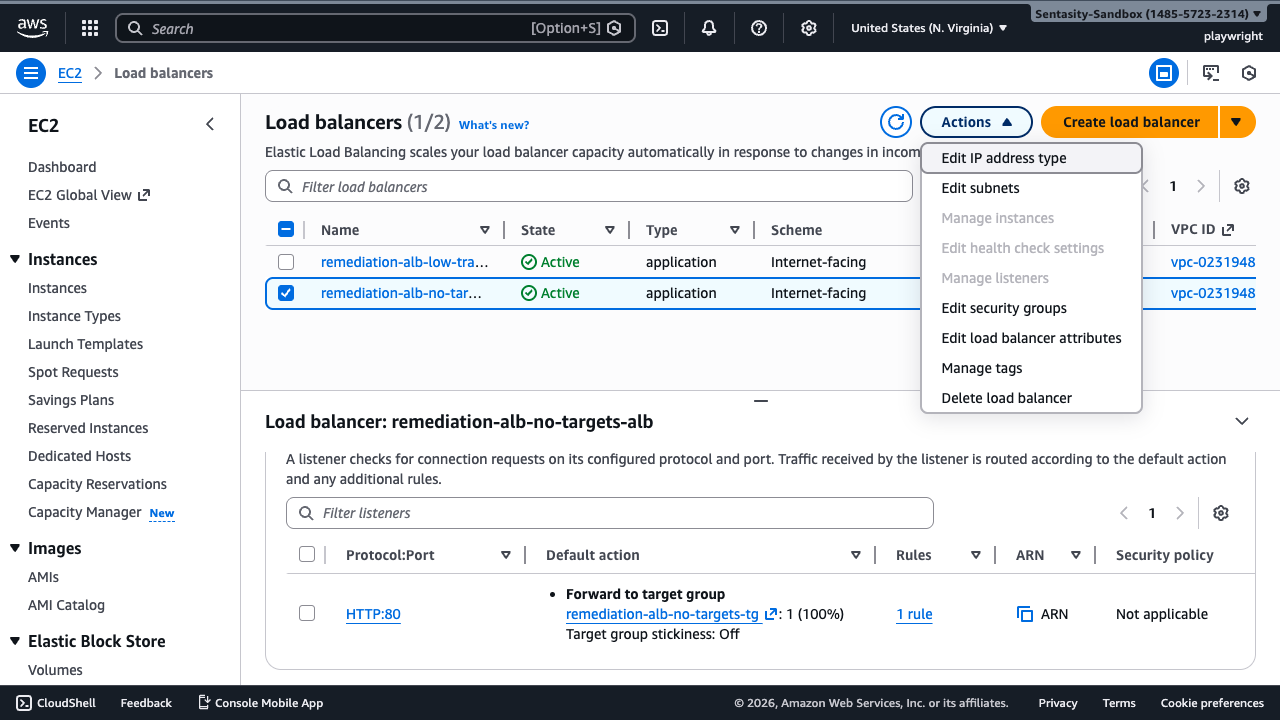
Return to the Load Balancers page. With the load balancer selected, click the Actions dropdown menu and select Delete.
Step 6: Confirm Deletion
In the confirmation dialog, type confirm to agree to the deletion.
Warning: This action cannot be undone. The load balancer and its listeners will be permanently deleted.
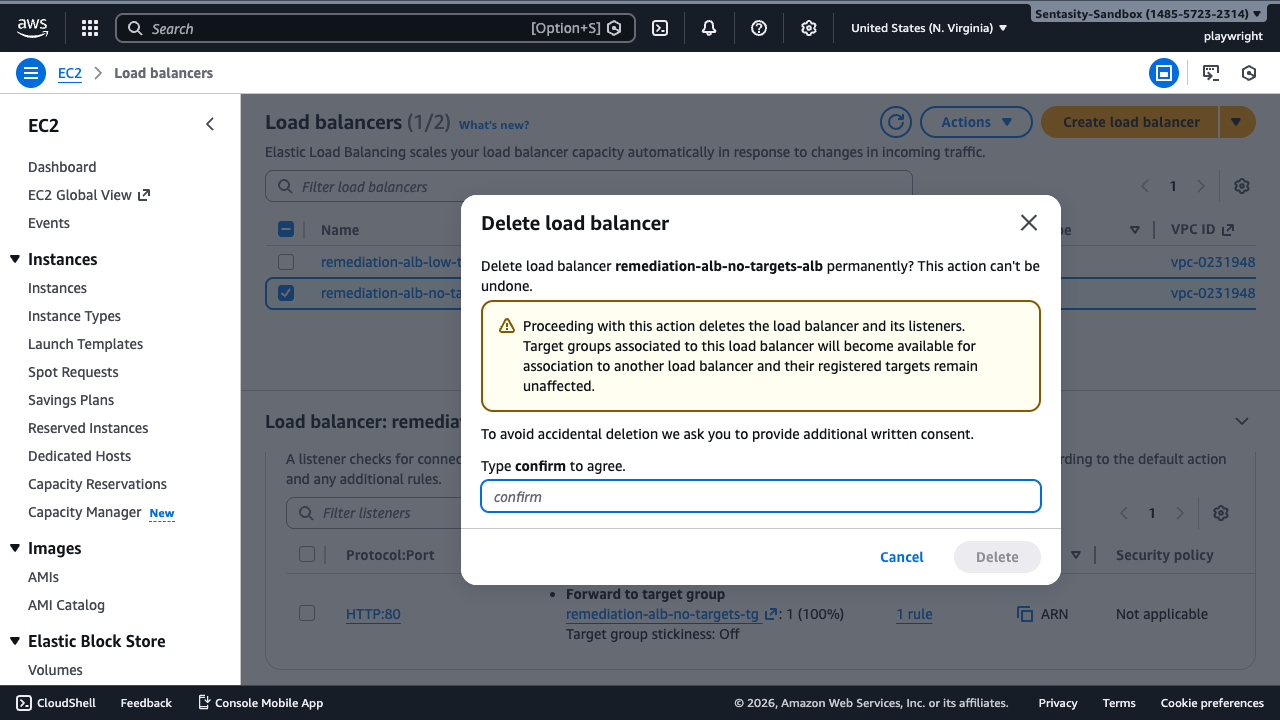
Click Delete to proceed.
Step 7: Verify Deletion
Wait for the success notification confirming the load balancer has been deleted. The ALB should no longer appear in the list.
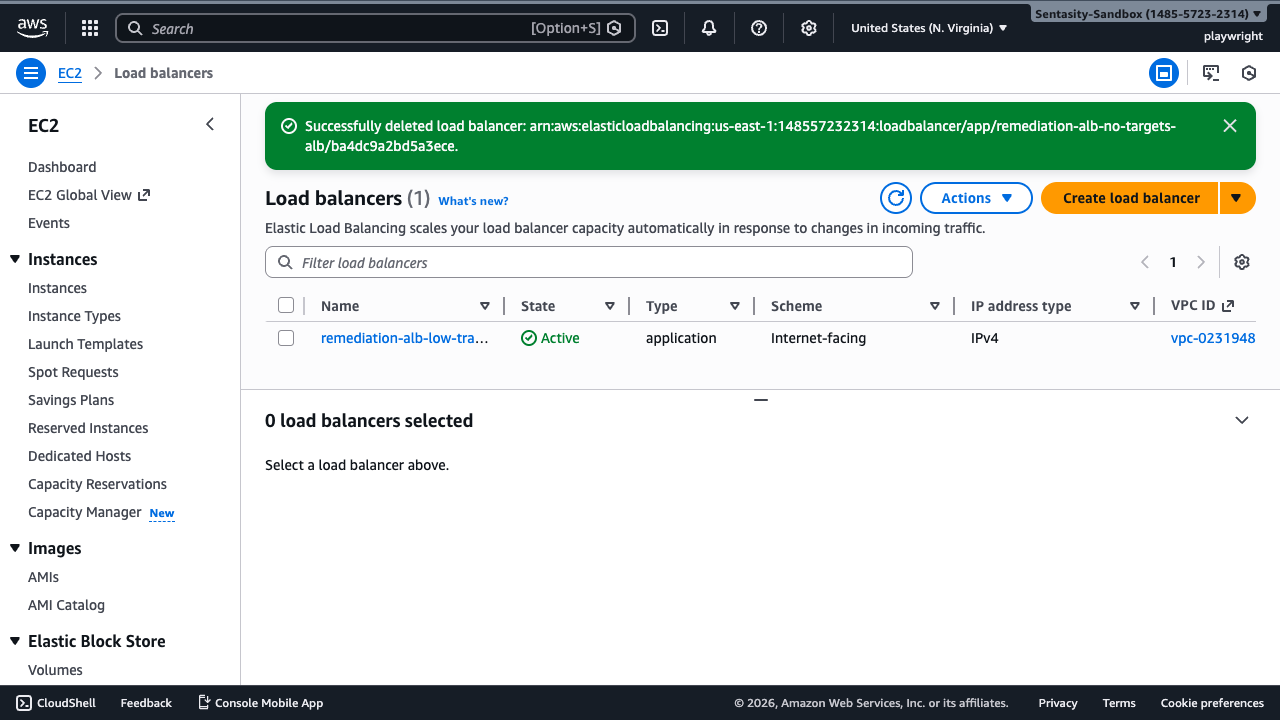
The success message indicates: "Successfully deleted load balancer"
Summary
You have successfully deleted the unused Application Load Balancer, eliminating $16.43/month in unnecessary charges. The target groups associated with this load balancer remain available and can be deleted separately if no longer needed.
Alternative Approaches
AWS CLI
aws elbv2 delete-load-balancer --load-balancer-arn <arn>
CloudFormation/CDK
Remove the ALB resource from your Infrastructure as Code templates and run a stack update.
Before Deletion
Check for dependencies:
- Route53 records pointing to the ALB's DNS name
- CloudFront distributions using the ALB as an origin
- API Gateway integrations referencing the ALB
Target Group Cleanup
Target groups are NOT automatically deleted when the ALB is deleted. To clean up the target group:
- Navigate to EC2 > Target Groups
- Select the target group (
remediation-alb-no-targets-tg) - Click Actions > Delete
Additional Notes
- Base ALB charges apply even when no traffic is being served
- There are no registered targets, so no EC2 instances or other resources are affected
- The deletion is immediate and cannot be reversed
- Listeners are automatically deleted with the load balancer