Release an Unassociated Elastic IP Address
Overview
Unassociated Elastic IP addresses (EIPs) in AWS incur charges even when not attached to any resource. Each unassociated EIP costs $3.65 per month ($0.005/hour), which adds up to $43.80 per year per address. This tutorial demonstrates how to identify and release an unassociated EIP to eliminate this wasteful spending.
Cost Impact: Releasing one unassociated EIP saves $3.65/month ($43.80/year). If you have multiple unassociated EIPs, the savings multiply—10 unassociated EIPs waste $438/year.
Prerequisites
- AWS Console access with EC2 permissions
- At least one unassociated Elastic IP in your account
Step 1: Navigate to Elastic IPs
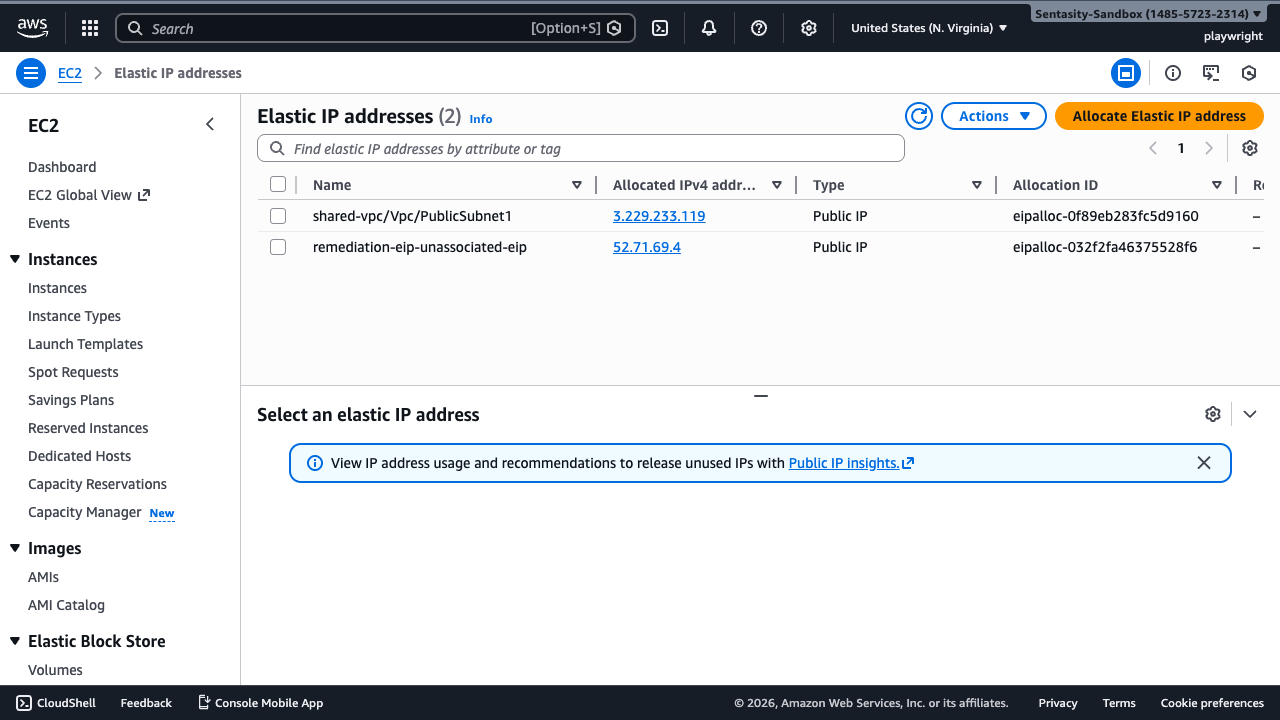
Navigate to the Elastic IPs section in the EC2 console at: https://console.aws.amazon.com/ec2/home#Addresses:
You'll see a list of all allocated Elastic IP addresses in your account.
Step 2: Identify the Unassociated EIP
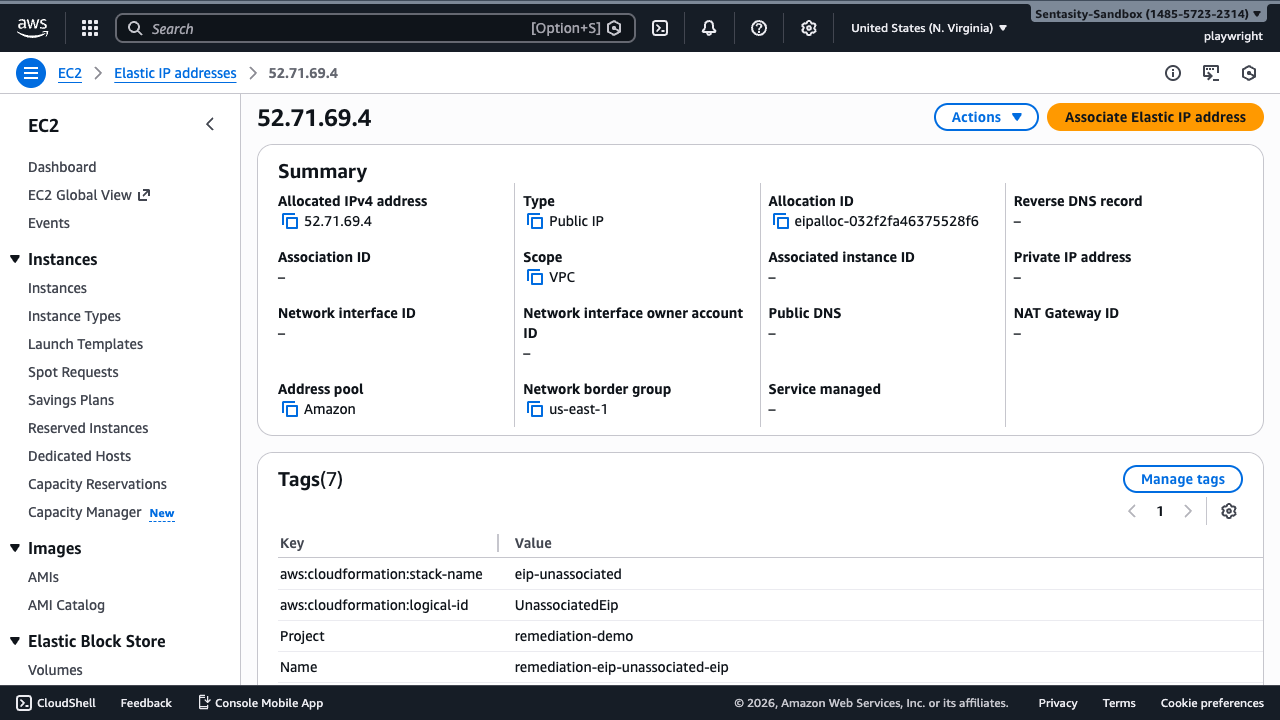
Locate the Elastic IP with address 52.71.69.4 (allocation ID: eipalloc-032f2fa46375528f6).
Click on the IP address to view its details. In the Summary panel, you'll see:
- Associated instance ID: – (empty)
- Private IP address: – (empty)
This confirms the EIP is not attached to any resource and is accruing charges.
Cost: This unassociated EIP costs $3.65/month ($0.005/hour).
Step 3: Release the Elastic IP
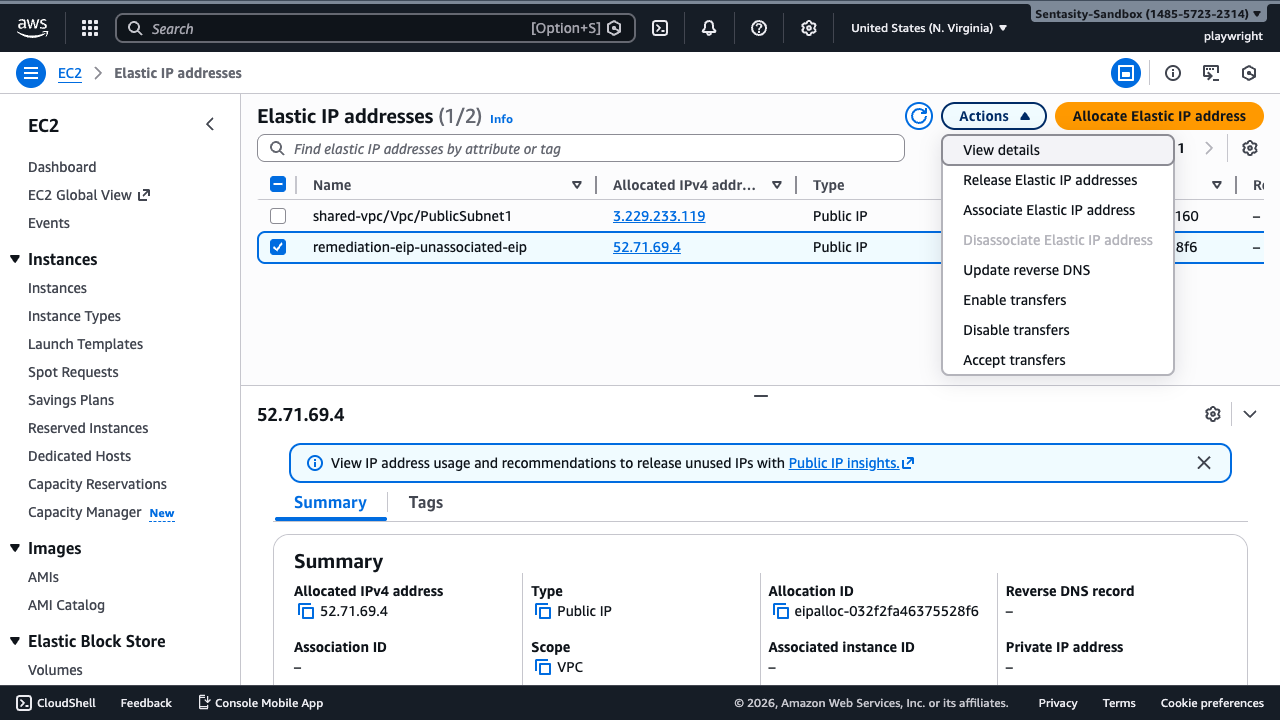
Go back to the Elastic IP addresses list and select the checkbox next to the unassociated EIP (52.71.69.4).
Click the Actions dropdown menu and select Release Elastic IP addresses.
Step 4: Confirm the Release
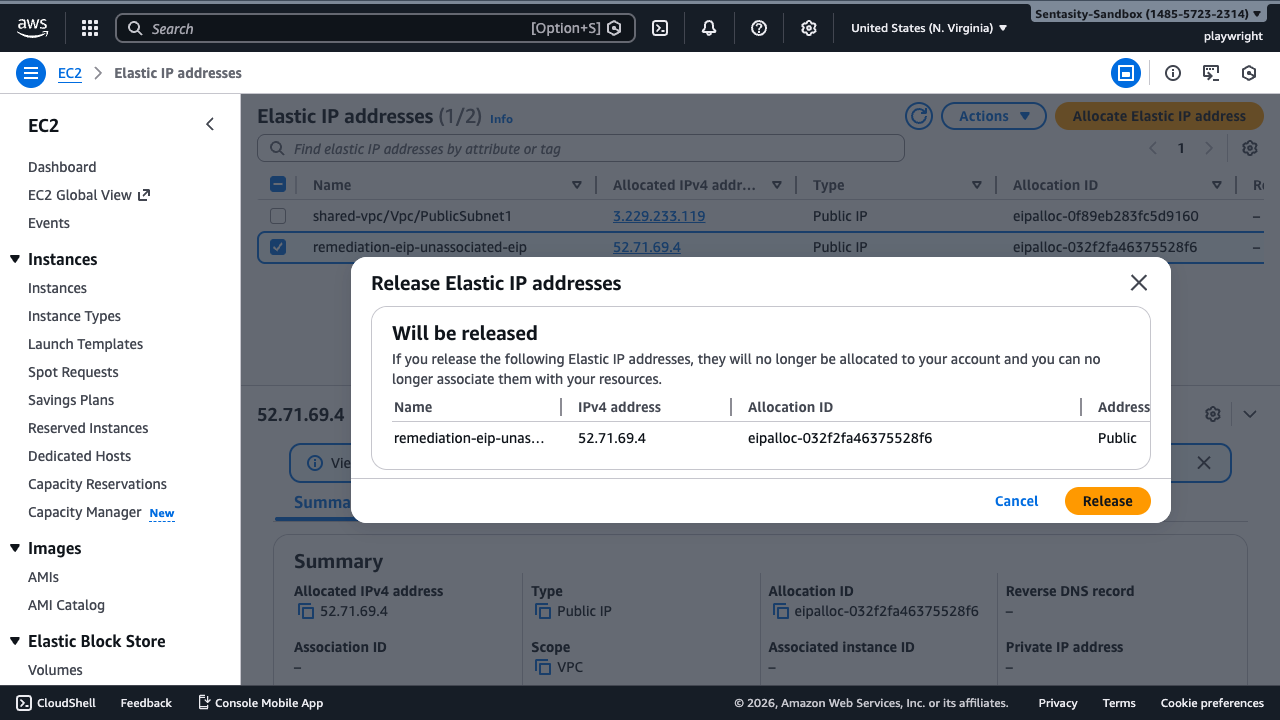
A confirmation dialog appears showing the EIP that will be released. The dialog warns:
If you release the following Elastic IP addresses, they will no longer be allocated to your account and you can no longer associate them with your resources.
Review the details:
- Name: remediation-eip-unassociated-eip
- IPv4 address: 52.71.69.4
- Allocation ID: eipalloc-032f2fa46375528f6
Click Release to confirm.
Important: This action cannot be undone. Once released, the IP address returns to AWS's pool and cannot be recovered. Only release the EIP if you're certain it's not needed. Check for any documentation, firewall rules, or DNS records that reference this IP address.
Step 5: Verify Release Success
A green success banner confirms: "Elastic IP addresses released. Elastic IP addresses 52.71.69.4"
The EIP immediately disappears from your Elastic IPs list, and billing stops instantly.
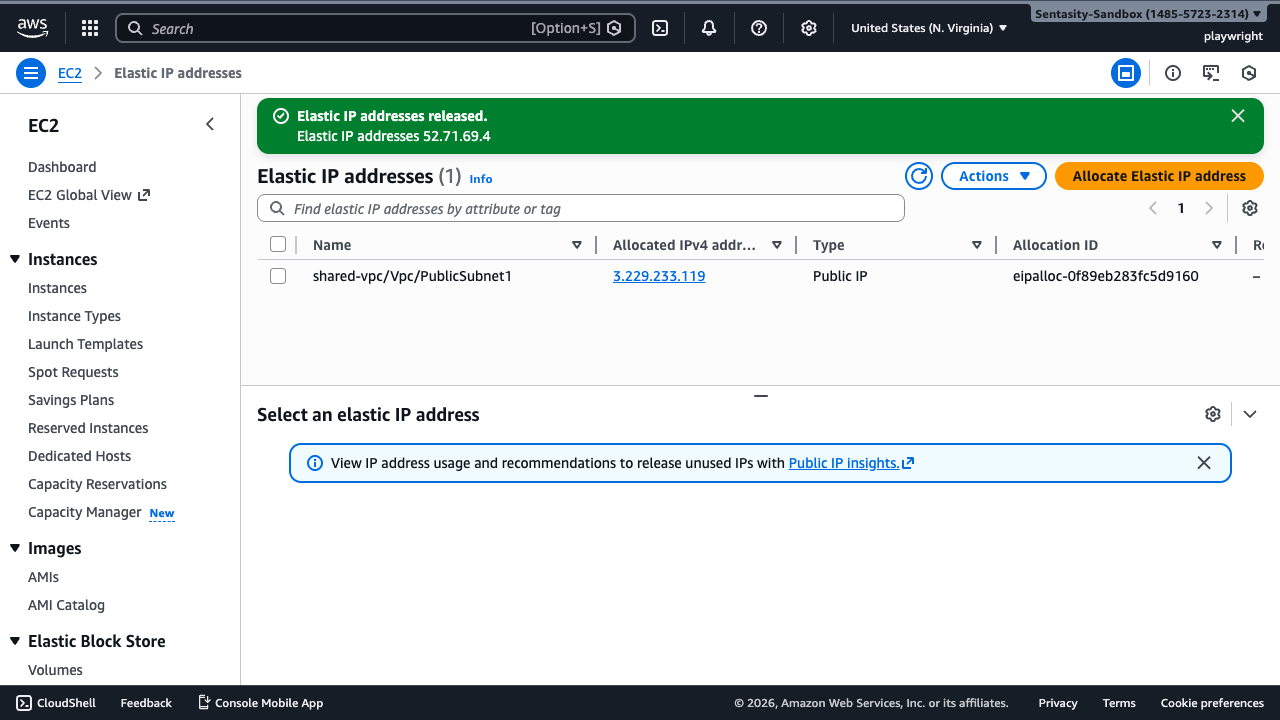
Cost savings: $3.65/month ($43.80/year) eliminated immediately.
Alternative Approaches
AWS CLI
Release an Elastic IP using the AWS CLI:
aws ec2 release-address \
  --allocation-id eipalloc-032f2fa46375528f6 \
  --region us-east-1
Infrastructure as Code
CloudFormation/CDK: Remove the EIP resource from your infrastructure code and redeploy.
Terraform:
terraform destroy -target=aws_eip.unassociated_eip
Automation & Prevention
AWS Config Rule: Deploy the eip-attached Config rule to automatically detect unassociated EIPs:
aws configservice put-config-rule --config-rule '{
  "ConfigRuleName": "eip-attached",
  "Source": {
    "Owner": "AWS",
    "SourceIdentifier": "EIP_ATTACHED"
  }
}'
Lambda Automation: Create a Lambda function that runs on a schedule to:
- Identify unassociated EIPs
- Check if they've been unassociated for more than a grace period (e.g., 7 days)
- Send notifications or automatically release them (with proper tagging to prevent accidental deletion)
Public IP Insights: AWS provides a built-in tool for analyzing IP usage. Access it at: https://console.aws.amazon.com/ipam/home#PublicIpInsights
Summary
Releasing unassociated Elastic IPs is one of the quickest wins for reducing AWS costs:
- Immediate impact: Charges stop the moment you release the EIP
- Simple process: Takes less than 1 minute via console or CLI
- Significant savings: $3.65/month per EIP, $43.80/year
- Scalable: If you have 10 unassociated EIPs, that's $438/year in waste
Best Practice: Implement AWS Config rules or automated scanning to catch unassociated EIPs before they accumulate charges. Always tag EIPs with their purpose and owner to prevent accidental releases.