Delete Unused EBS Snapshots
Unused, old, or orphaned EBS snapshots silently accumulate storage charges at ~$0.05/GB-month. This tutorial walks through identifying and deleting wasteful snapshots in the AWS Console.
Step 1: Navigate to EBS Snapshots
Open the EC2 Snapshots console. Make sure you're in the correct region (us-east-1). You'll see a list of all EBS snapshots owned by your account.
Look for snapshots that are candidates for deletion:
- Old snapshots — created more than 180 days ago
- Unused snapshots — not associated with any active AMI or volume
- Orphaned snapshots — their source volume has been deleted
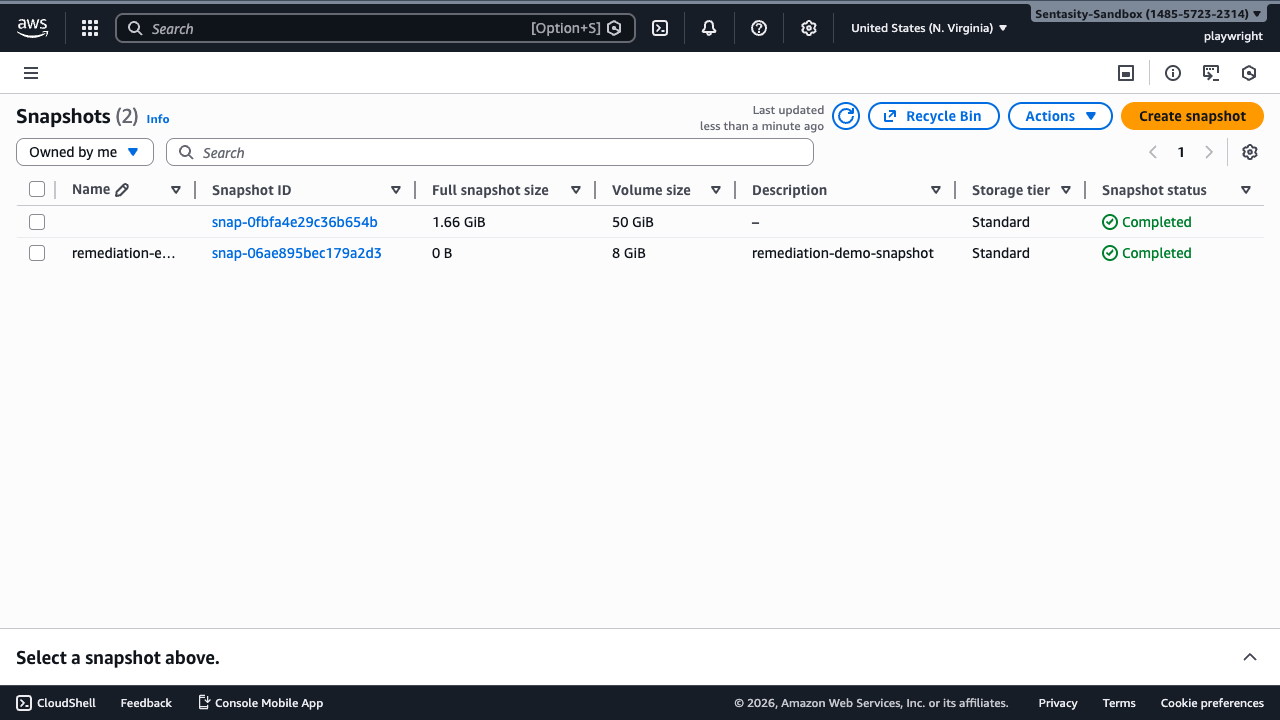
Step 2: Filter to Your Own Snapshots
Use the filter dropdown to select Owned by me. This ensures you only see snapshots owned by your account, excluding any shared or public snapshots from AWS or third parties.
Step 3: Sort by Age
Click the Started column header to sort snapshots by creation date (oldest first). Snapshots older than 180 days are prime candidates for cleanup, as they likely contain outdated data that's no longer needed for recovery.
Step 4: Select the Snapshot to Delete
Click the checkbox next to the snapshot you want to delete. In the details panel below, review the snapshot information:
- Snapshot ID — confirm this is the correct snapshot
- Volume ID — check if the source volume still exists (if it shows as "deleted," the snapshot is orphaned)
- Started — verify the age of the snapshot
- Size — note the storage size to estimate cost savings
Tip: If the snapshot's source volume has been deleted and it's not referenced by any AMI, it's almost certainly safe to delete.
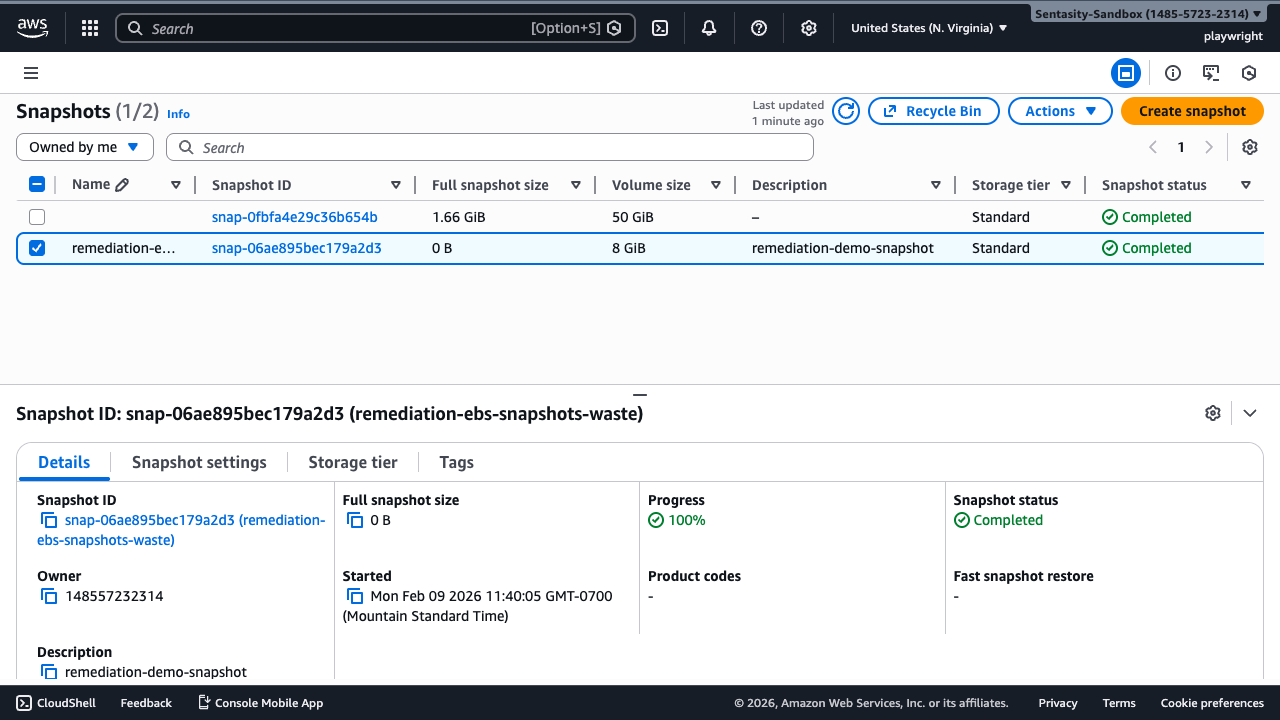
Step 5: Delete the Snapshot
With the snapshot selected, click Actions → Delete snapshot.
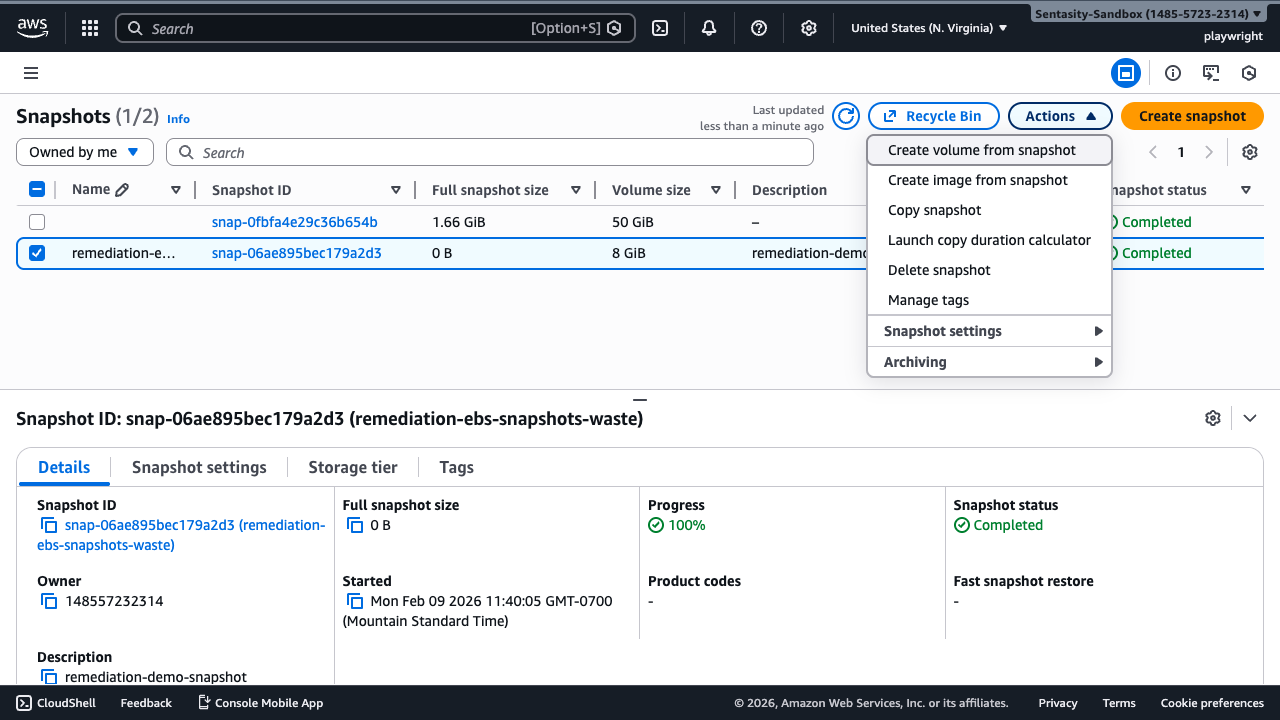
Step 6: Confirm Deletion
In the confirmation dialog, type delete in the text field, then click Delete to permanently remove the snapshot.
Warning: Snapshot deletion is irreversible. Once deleted, the data cannot be recovered. Make sure you don't need this snapshot for disaster recovery or compliance purposes before proceeding.
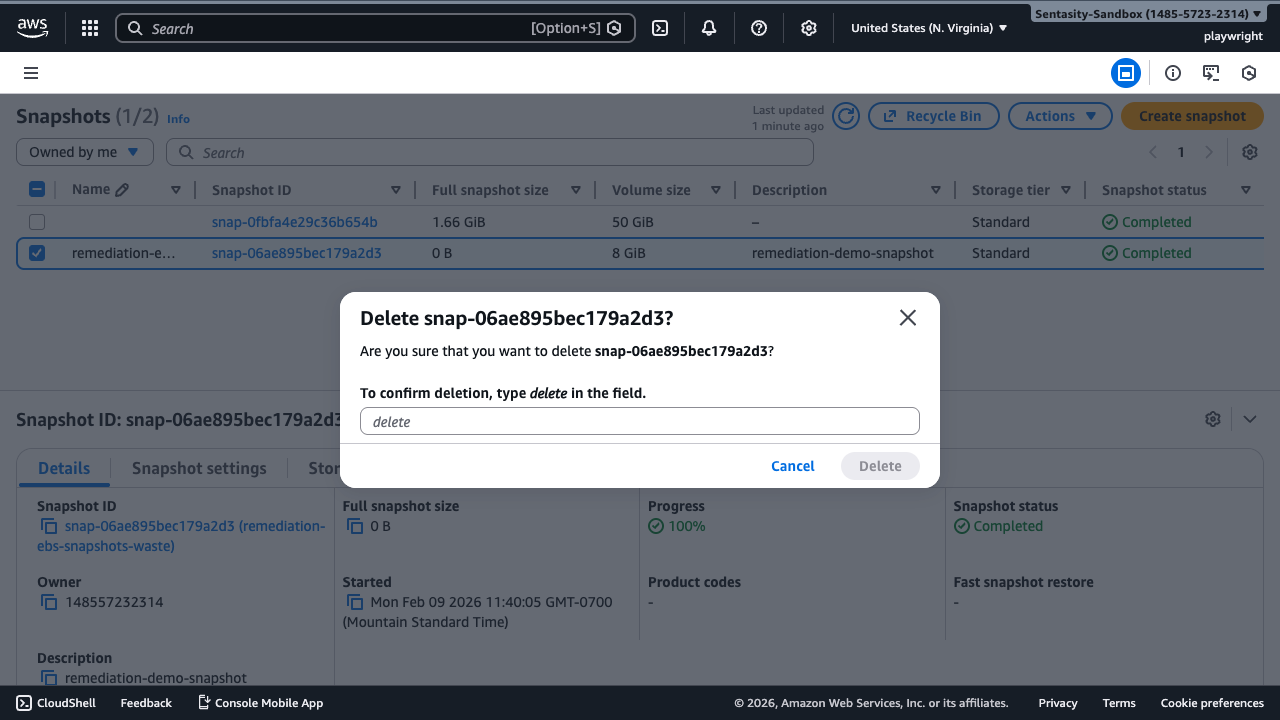
Step 7: Verify Deletion
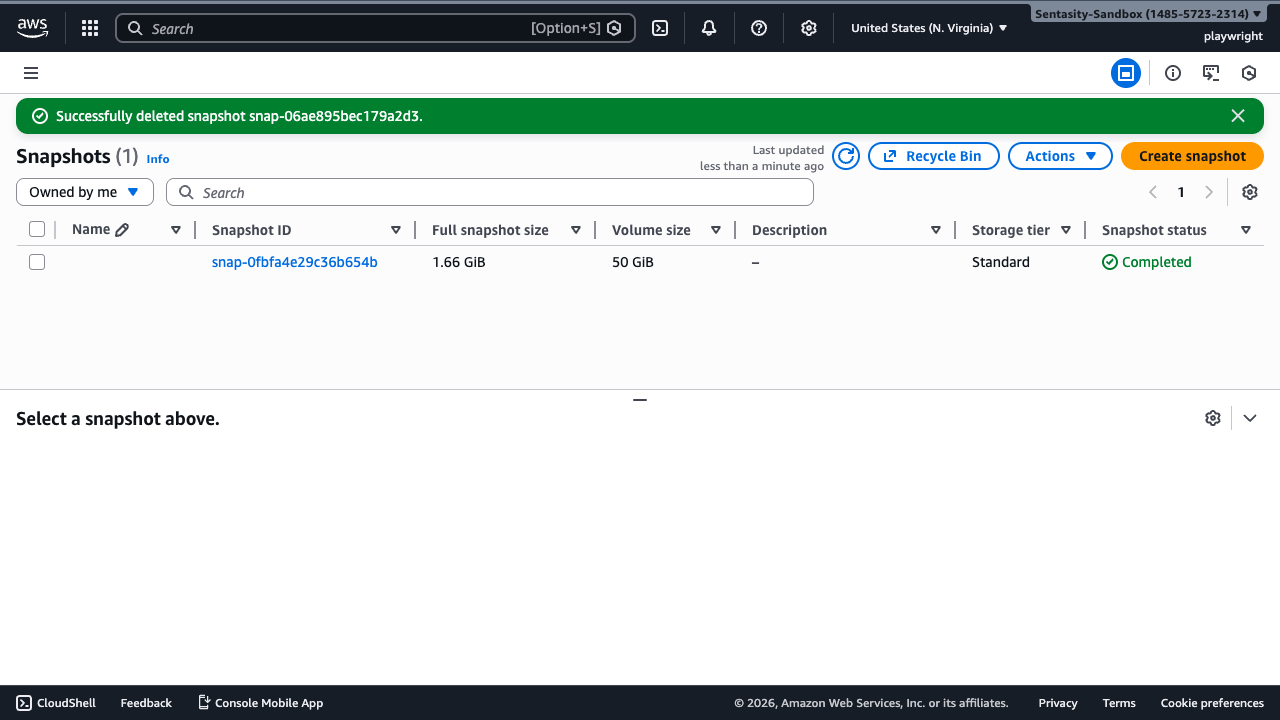
You should see a green success notification confirming the snapshot has been deleted. The snapshot will no longer appear in your snapshots list.
Cost Impact
EBS snapshots are charged at ~$0.05/GB-month. For example, a 100 GB orphaned snapshot costs ~$5/month or ~$60/year. Accounts with dozens of old snapshots can accumulate significant waste. Deleting unused snapshots provides immediate, recurring monthly savings.
Alternative Approaches
- Amazon Data Lifecycle Manager (DLM): Set up automated lifecycle policies to automatically delete snapshots after a retention period, preventing future accumulation.
- AWS CLI bulk deletion: For accounts with many snapshots to clean up, use
aws ec2 delete-snapshot --snapshot-id <id>in a script to delete multiple snapshots programmatically. - Tag-based retention: Implement a tagging strategy (e.g.,
RetainUntil: 2025-06-01) and use automation to delete snapshots past their retention date.